A service stack often needs the same iptables decision for several ports, such as HTTP, HTTPS, and an alternate management listener. The multiport match keeps those ports in one rule so the chain is shorter and the counter shows the combined traffic for that service group.
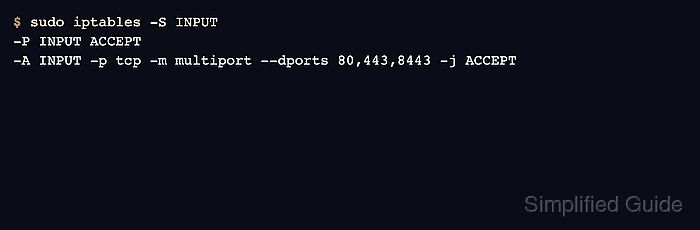
The multiport match works with TCP, UDP, UDPLite, DCCP, or SCTP and accepts a comma-separated list of ports or port ranges. The standard extension limits one rule to a small set of ports, so large or unrelated service groups should be split into separate rules.
Use a multiport rule only when the same protocol, source, destination, interface, state, and target apply to every listed port. If one port needs a different source range or target, write a separate rule so the chain remains auditable.
Related: How to allow a port with iptables
Related: How to list iptables rules with counters
Related: How to save iptables rules permanently
Tool: iptables Rule Generator
Steps to add an iptables multiport rule:
- List the current INPUT chain before adding the grouped port rule.
$ sudo iptables --list INPUT --line-numbers --numeric --verbose
Chain INPUT (policy DROP 0 packets, 0 bytes)
num   pkts bytes target     prot opt in     out     source               destination
If a broad DROP or REJECT rule already exists, insert the multiport rule above it instead of appending after it.
Related: How to insert an iptables rule at a specific position - Check whether the same multiport rule already exists.
$ sudo iptables -C INPUT -p tcp -m multiport --dports 80,443,8443 -j ACCEPT
iptables: Bad rule (does a matching rule exist in that chain?).
No output with exit status 0 means the exact rule is already present.
- Add the multiport allow rule.
$ sudo iptables -A INPUT -p tcp -m multiport --dports 80,443,8443 -j ACCEPT
Replace the example ports with the real service ports. Keep the list to ports that share the same security decision and protocol.
- Print the rule in command form.
$ sudo iptables -S INPUT
-P INPUT DROP
-A INPUT -p tcp -m multiport --dports 80,443,8443 -j ACCEPT
- Test each listed service port from a separate client.
$ nc -vz -w 2 server.example.com 80
Connection to server.example.com 80 port [tcp/http] succeeded!
$ nc -vz -w 2 server.example.com 443
Connection to server.example.com 443 port [tcp/https] succeeded!
$ nc -vz -w 2 server.example.com 8443
Connection to server.example.com 8443 port [tcp/*] succeeded!
Testing only one port proves only that one port. Each listed port still needs an application or connection check that matches its expected traffic.
- Check the grouped rule counter after the tests.
$ sudo iptables --list INPUT --line-numbers --numeric --verbose --exact
Chain INPUT (policy DROP 0 packets, 0 bytes)
num      pkts      bytes target     prot opt in     out     source               destination
1           3       180 ACCEPT     tcp  --  *      *       0.0.0.0/0            0.0.0.0/0            multiport dports 80,443,8443
The counter is shared by all ports in the rule. Use separate rules when per-port counters are required.
- Delete the rule by exact match if one port needs different treatment.
$ sudo iptables -D INPUT -p tcp -m multiport --dports 80,443,8443 -j ACCEPT
After deleting the grouped rule, add separate service rules for ports that need different source limits, comments, or targets.
Related: How to delete an iptables rule - Save the runtime rule after every listed port is tested.
$ sudo netfilter-persistent save
run-parts: executing /usr/share/netfilter-persistent/plugins.d/15-ip4tables save
Do not save a grouped allow rule until the full port list is reviewed. A stray port in the list can expose a service that was not part of the change request.

Mohd Shakir Zakaria is a cloud architect with deep roots in software development and open-source advocacy. Certified in AWS, Red Hat, VMware, ITIL, and Linux, he specializes in designing and managing robust cloud and on-premises infrastructures.


