IPv6 traffic does not use the IPv4 iptables ruleset, so a host can look locked down for IPv4 while still accepting IPv6 connections through a separate rule table. Managing IPv6 policy with ip6tables keeps the address family explicit and prevents false confidence from IPv4-only checks.
ip6tables uses the same chain model as iptables but expects IPv6 addresses, prefixes, and ICMPv6 behavior. A normal inbound service rule still belongs in the filter table's INPUT chain, while routed IPv6 traffic uses FORWARD.
Use documentation prefixes such as 2001:db8::/32 only in examples and replace them with the real client prefix before changing a host. IPv6 neighbor discovery and router advertisements rely on ICMPv6, so broad ICMPv6 blocking can break basic network operation.
Related: How to list iptables rules with counters
Related: How to allow a port with iptables
Related: How to save iptables rules permanently
Tool: IPv6 Address Compressor / Expander
Tool: iptables Rule Generator
Steps to manage IPv6 rules with ip6tables:
- List the current IPv6 INPUT chain.
$ sudo ip6tables --list INPUT --line-numbers --numeric --verbose
Chain INPUT (policy ACCEPT 0 packets, 0 bytes)
num   pkts bytes target     prot opt in     out     source               destination
IPv4 iptables output does not show IPv6 rules. Use ip6tables or the host's firewall manager for the IPv6 ruleset.
- Add the IPv6 service allow rule.
$ sudo ip6tables -A INPUT -p tcp -s 2001:db8:10::/64 --dport 443 -j ACCEPT
Replace 2001:db8:10::/64 with the client prefix that should reach the service. Use the IPv6 address-format tool when a copied address needs to be expanded or normalized before review.
- Check that the exact IPv6 rule exists.
$ sudo ip6tables -C INPUT -p tcp -s 2001:db8:10::/64 --dport 443 -j ACCEPT
No output means the exact rule is present. A nonzero exit means the rule specification does not match the current chain.
- Print the IPv6 rule in command form.
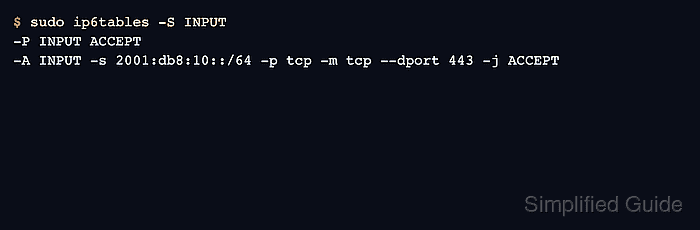
$ sudo ip6tables -S INPUT
-P INPUT ACCEPT
-A INPUT -s 2001:db8:10::/64 -p tcp -m tcp --dport 443 -j ACCEPT
- Test the service over IPv6 from a client in the allowed prefix.
$ nc -vz -w 2 2001:db8:20::10 443
Connection to 2001:db8:20::10 443 port [tcp/https] succeeded!
Use an IPv6 literal, DNS name with an AAAA record, or application client that proves the connection used IPv6 rather than falling back to IPv4.
- Check counters on the IPv6 rule after the client test.
$ sudo ip6tables --list INPUT --line-numbers --numeric --verbose --exact
Chain INPUT (policy ACCEPT 0 packets, 0 bytes)
num      pkts      bytes target     prot opt in     out     source               destination
1           1         80 ACCEPT     tcp      *      *       2001:db8:10::/64     ::/0                 tcp dpt:443
The packet counter on the ip6tables rule should increase after the IPv6 client connects.
- Remove the IPv6 rule by exact match when it is no longer needed.
$ sudo ip6tables -D INPUT -p tcp -s 2001:db8:10::/64 --dport 443 -j ACCEPT
Use the same address family for deletion. Removing a similar IPv4 rule does not affect this IPv6 rule.
Related: How to delete an iptables rule - Save the IPv6 ruleset through the host's persistence method.
$ sudo netfilter-persistent save
run-parts: executing /usr/share/netfilter-persistent/plugins.d/15-ip4tables save
run-parts: executing /usr/share/netfilter-persistent/plugins.d/25-ip6tables save
Save only after IPv6 testing succeeds. Persisting an untested IPv6 policy can leave a service unexpectedly exposed or unreachable after reboot.
Related: How to save iptables rules permanently

Mohd Shakir Zakaria is a cloud architect with deep roots in software development and open-source advocacy. Certified in AWS, Red Hat, VMware, ITIL, and Linux, he specializes in designing and managing robust cloud and on-premises infrastructures.


