Rule comments make runtime iptables policies easier to audit after a change window. A packet still matches only the protocol, address, port, interface, state, and target fields, but a short comment keeps the reason for a rule visible when another administrator lists the chain later.
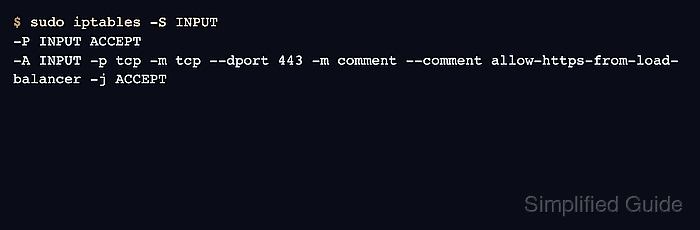
The comment match adds text with --comment and stores it beside the rule. Current iptables output shows that text as a C-style comment in verbose list output and as -m comment –comment in command-form output.
Use comments for change tickets, service names, owners, or review labels that will still make sense after reboot. Do not use comments as the only access-control boundary, and keep the text short enough to read in a normal chain listing.
Related: How to list iptables rules with counters
Related: How to delete an iptables rule
Related: How to save iptables rules permanently
Tool: iptables Rule Generator
Steps to add a comment to an iptables rule:
- List the target chain before adding the commented rule.
$ sudo iptables --list INPUT --line-numbers --numeric --verbose
Chain INPUT (policy ACCEPT 0 packets, 0 bytes)
num   pkts bytes target     prot opt in     out     source               destination
Use the chain that actually sees the packet path. Local inbound service rules usually belong in INPUT, routed gateway rules in FORWARD, and locally generated outbound rules in OUTPUT.
Related: How to list iptables rules with counters - Add the rule with the comment match.
$ sudo iptables -A INPUT -p tcp --dport 443 -m comment --comment allow-https-from-load-balancer -j ACCEPT
The example permits TCP port 443 and labels the reason. Use a ticket, owner, or service name that can be reviewed later without exposing sensitive internal detail.
- Check that the exact commented rule exists.
$ sudo iptables -C INPUT -p tcp --dport 443 -m comment --comment allow-https-from-load-balancer -j ACCEPT
No output means the exact rule specification is present. A nonzero exit means the chain does not contain the same rule and comment text.
- Print the command-form rule to verify the stored comment.
$ sudo iptables -S INPUT
-P INPUT ACCEPT
-A INPUT -p tcp -m tcp --dport 443 -m comment --comment allow-https-from-load-balancer -j ACCEPT
- List the chain with counters to confirm the comment is visible during audits.
$ sudo iptables --list INPUT --line-numbers --numeric --verbose
Chain INPUT (policy ACCEPT 0 packets, 0 bytes)
num   pkts bytes target     prot opt in     out     source               destination
1        0     0 ACCEPT     tcp  --  *      *       0.0.0.0/0            0.0.0.0/0            tcp dpt:443 /* allow-https-from-load-balancer */
- Test the allowed service from the expected client path.
$ nc -vz -w 2 server.example.com 443
Connection to server.example.com 443 port [tcp/https] succeeded!
The comment proves audit context, not packet behavior. A client test and the rule counter prove the rule matched useful traffic.
- Remove or replace the rule by exact match when the comment is wrong.
$ sudo iptables -D INPUT -p tcp --dport 443 -m comment --comment allow-https-from-load-balancer -j ACCEPT
Deleting by exact match avoids relying on a line number that may change after other rule edits.
Related: How to delete an iptables rule - Save the runtime rule after the service test and comment review pass.
$ sudo netfilter-persistent save
run-parts: executing /usr/share/netfilter-persistent/plugins.d/15-ip4tables save
Do not persist a rule whose match is wrong just because the comment is useful. Correct the rule first, then save the verified runtime policy.
Related: How to save iptables rules permanently

Mohd Shakir Zakaria is a cloud architect with deep roots in software development and open-source advocacy. Certified in AWS, Red Hat, VMware, ITIL, and Linux, he specializes in designing and managing robust cloud and on-premises infrastructures.


