Deleting an InfluxDB 3 Core database removes a logical database from active use when a test workload, retired source, or mistaken database name no longer belongs on the server. The operation affects every table in the selected database, so confirm the exact name before approving the delete prompt.
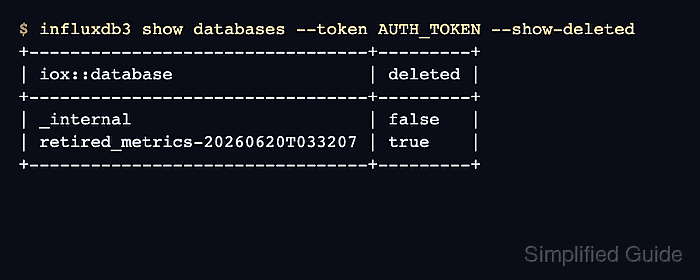
The influxdb3 delete database command works against a running InfluxDB 3 Core server and authenticates with an admin token. The normal database list hides deleted databases after removal; --show-deleted exposes the deleted marker when you need an audit check.
Keep a backup outside InfluxDB before deleting production data. Use --hard-delete now only when immediate physical deletion is required; the default cleanup path removes the database from active queries without requesting immediate hard deletion of stored files.
Steps to delete an InfluxDB 3 Core database:
- List the databases to confirm the exact database name.
$ influxdb3 show databases --token AUTH_TOKEN
+-----------------+
| iox::database   |
+-----------------+
| _internal       |
| retired_metrics |
+-----------------+
- Back up data that must survive the deletion.
- Delete the database, entering yes at the confirmation prompt.
$ influxdb3 delete database --token AUTH_TOKEN retired_metrics
Are you sure you want to delete "retired_metrics"? Enter 'yes' or 'y' to confirm
yes
Database "retired_metrics" deleted successfully
Confirm the database name before typing yes. InfluxDB removes the database from active queries immediately, and deleting the wrong database can interrupt writers and dashboards.
- Verify that the active database list no longer includes the deleted database.
$ influxdb3 show databases --token AUTH_TOKEN
+---------------+
| iox::database |
+---------------+
| _internal     |
+---------------+
- Check the deleted marker when you need an audit record.
$ influxdb3 show databases --token AUTH_TOKEN --show-deleted
+---------------------------------+---------+
| iox::database                   | deleted |
+---------------------------------+---------+
| _internal                       | false   |
| retired_metrics-20260620T033207 | true    |
+---------------------------------+---------+
InfluxDB appends the deletion timestamp to the deleted entry name shown by --show-deleted.
- Confirm that queries against the original database name fail.
$ influxdb3 query --token AUTH_TOKEN --database retired_metrics 'SELECT * FROM cpu'
Query command failed: server responded with error [404 Not Found]: {"error":"query error: database not found: retired_metrics"}

Mohd Shakir Zakaria is a cloud architect with deep roots in software development and open-source advocacy. Certified in AWS, Red Hat, VMware, ITIL, and Linux, he specializes in designing and managing robust cloud and on-premises infrastructures.


