Setting InfluxDB 3 Core database retention limits how far back stored time series data remains queryable and eligible for background cleanup. Use it when a workload has a known data lifetime, storage growth needs a boundary, or dashboards should ignore measurements older than an operational window.
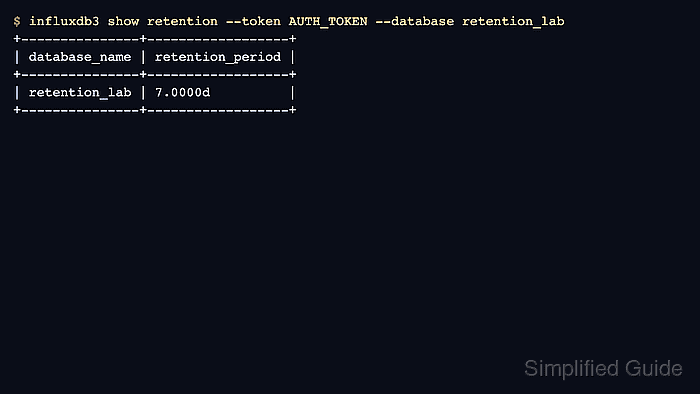
The influxdb3 update database command changes the database-level retention period on a running Core server. influxdb3 show retention reports the effective period, and an admin token is required for both commands.
Shortening retention can make older points disappear from query results before object storage cleanup finishes. Back up data that must survive the shorter window, and test sample writes only in a disposable database or table when production data should not be touched.
Steps to set InfluxDB 3 Core database retention:
- Set the admin token for the current terminal session.
$ export INFLUXDB3_AUTH_TOKEN='AUTH_TOKEN'
Use an InfluxDB 3 Core admin token. Do not paste a real token into shared transcripts, screenshots, or shell history.
- Check the current retention period for the database.
$ influxdb3 show retention --token "$INFLUXDB3_AUTH_TOKEN" --database retention_lab
+---------------+------------------+
| database_name | retention_period |
+---------------+------------------+
| retention_lab | 30.0000d         |
+---------------+------------------+
Replace retention_lab with the target database name. Database names are case-sensitive.
- Back up data that must remain queryable before shortening the retention period.
- Update the database retention period.
$ influxdb3 update database --token "$INFLUXDB3_AUTH_TOKEN" --database retention_lab --retention-period 7d
Database "retention_lab" updated successfully
Use durations such as 7d or 30d for days. Choose a period that covers the longest required dashboard, alerting, or audit lookback.
- Verify the database reports the new retention period.
$ influxdb3 show retention --token "$INFLUXDB3_AUTH_TOKEN" --database retention_lab
+---------------+------------------+
| database_name | retention_period |
+---------------+------------------+
| retention_lab | 7.0000d          |
+---------------+------------------+
- Write a point with an old timestamp in a disposable table.
$ influxdb3 write --token "$INFLUXDB3_AUTH_TOKEN" --database retention_lab 'cpu,site=plant-1 value=82.0 1704067200000000000'
929ms: 1 request (1.08 requests/sec), 1 lines (1 lines/s), 47B (50B/s)
Run the write/query smoke test only in a disposable database or test table. The write creates the table if it does not already exist.
- Write a recent point to the same table.
$ influxdb3 write --token "$INFLUXDB3_AUTH_TOKEN" --database retention_lab 'cpu,site=plant-1 value=91.5'
975ms: 1 request (1.03 requests/sec), 1 lines (1 lines/s), 27B (27B/s)
- Query the table to confirm only data inside the retention window is returned.
$ influxdb3 query --token "$INFLUXDB3_AUTH_TOKEN" --database retention_lab 'SELECT site, value FROM cpu ORDER BY time'
+---------+-------+
| site    | value |
+---------+-------+
| plant-1 | 91.5  |
+---------+-------+

Mohd Shakir Zakaria is a cloud architect with deep roots in software development and open-source advocacy. Certified in AWS, Red Hat, VMware, ITIL, and Linux, he specializes in designing and managing robust cloud and on-premises infrastructures.


