PDF page images fit thumbnailers, OCR queues, evidence packets, and design reviews that need pixels instead of a fixed-document file. ImageMagick can render each PDF page into a separate image file while leaving the original PDF unchanged.
ImageMagick reads PDF input through the Ghostscript delegate, then writes the rendered pages through the output format named by the destination filename. Put -density before the PDF input so the page is rendered at the intended resolution before the image file is written.
PDF conversion can be blocked by a missing Ghostscript command or by an ImageMagick security policy that denies PDF reading. Treat those failures as environment checks rather than image-conversion errors, and verify the generated images before sending them to another system.
Steps to convert a PDF to images with ImageMagick:
- Create a dedicated output directory for the rendered pages.
$ mkdir pages
Use a fresh directory or a unique filename prefix when rerunning the command, because matching output filenames can be replaced.
- Render the PDF pages to PNG files.
$ magick -density 150 sample.pdf pages/page-%03d.png
Replace sample.pdf with the source PDF. The page-%03d.png pattern writes numbered output files such as page-000.png, page-001.png, and page-002.png. Raise 150 for sharper text or line art, but expect larger files and more memory use.
- Convert only selected pages when the whole PDF is not needed.
$ magick -density 150 'sample.pdf[0-2]' pages/page-%03d.png
ImageMagick uses zero-based page indexes for bracket selection. The range [0-2] renders the first three pages. Quote the input on Linux and macOS shells so the brackets are passed to ImageMagick instead of the shell.
- Verify that the output files are readable images.
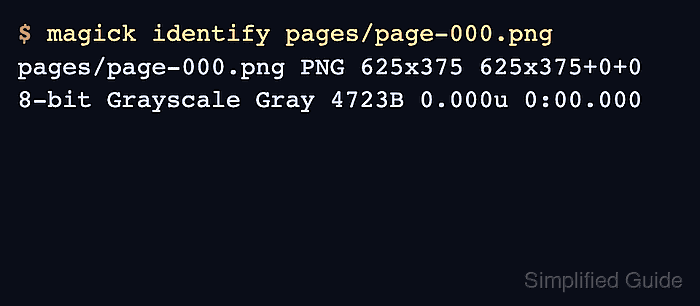
$ magick identify pages/page-*.png
pages/page-000.png PNG 625x375 625x375+0+0 8-bit Grayscale Gray 4723B 0.000u 0:00.000
The first field after the filename should show the expected output format, and the dimensions should match the render density and source page size.
- Confirm the file type before handing the images to another tool.
$ file pages/page-000.png
pages/page-000.png: PNG image data, 625 x 375, 8-bit gray+alpha, non-interlaced
If the conversion fails with a gs error, install Ghostscript in the conversion environment. If it fails with a security policy error for PDF, review the local ImageMagick policy instead of disabling PDF restrictions on an untrusted upload server.