Blank canvases are useful when a script needs a background image before drawing text, placing overlays, or exporting a placeholder asset. ImageMagick can generate the raster directly from a size and a color, so no starter image has to be stored with the project.
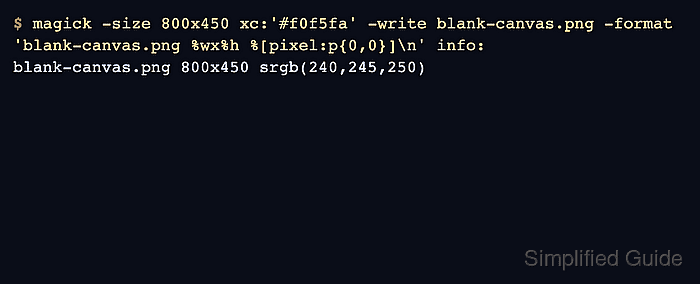
In ImageMagick 7, the magick command can read a generated canvas pseudo-image such as xc:COLOR or canvas:COLOR and write it to a normal image file. The xc: form is the short traditional spelling, and the output format normally comes from the filename extension.
PNG output keeps exact solid colors and can also store transparency. Hex colors such as #f0f5fa should be quoted in most shells because # starts a shell comment outside quotes; use canvas:none only when the blank image should be transparent and the output format can store an alpha channel.
Steps to create a blank canvas with ImageMagick:
- Choose the canvas size, fill color, and output filename.
ImageMagick geometry uses width before height, so 800x450 creates an 800-pixel-wide and 450-pixel-tall image.
- Create a solid-color PNG canvas.
$ magick -size 800x450 xc:'#f0f5fa' blank-canvas.png
Use canvas:COLOR instead of xc:COLOR if the longer name is clearer in a script. For a hex color, keep the value quoted as shown in the command above.
- Verify the output file dimensions and format.
$ magick identify blank-canvas.png
blank-canvas.png PNG 800x450 800x450+0+0 8-bit sRGB 2c 368B 0.000u 0:00.000
The file size, elapsed time, and color-count fields can vary between ImageMagick builds. The dimension field should match the requested geometry.
- Verify that a sampled pixel has the expected fill color.
$ magick blank-canvas.png -format '%[pixel:p{0,0}]\n' info:
srgb(240,245,250)
srgb(240,245,250) is the decimal form of #f0f5fa. Sample another coordinate only if the canvas is later modified after creation.
- Create a transparent blank canvas when the next operation needs empty pixels instead of a visible fill.
$ magick -size 800x450 canvas:none transparent-canvas.png
Save transparent canvases as PNG, WebP, TIFF, or another format that preserves alpha. JPEG cannot store transparent pixels.
- Verify the transparent canvas dimensions and alpha-capable channel set.
$ magick transparent-canvas.png -format '%m %wx%h %[channels] %[pixel:p{0,0}]\n' info:
PNG 800x450 graya 3.0 graya(0,0)