An animated GIF only plays correctly when ImageMagick receives the frames in the intended order and writes a multi-frame GIF instead of separate still files. Checking the finished sequence catches missing frames, wrong filename order, or a command that flattened the animation into one image.
ImageMagick 7 uses the magick command for image conversion and sequence operations. The command can read several frame images, apply a frame delay, set the GIF loop behavior, and write the result as one animated file.
Same-size PNG frames named frame-01.png through frame-04.png keep the sequence predictable. GIF output uses a limited palette, so gradients and photos can lose color detail; keep the source frames at the same dimensions before building the animation, and use -layers optimize after the frames are assembled to reduce redundant pixels.
Steps to create an animated GIF with ImageMagick:
- Put the frame images in one directory with filenames that sort in playback order.
Use leading zeroes, such as frame-01.png and frame-02.png, so shell globbing keeps the sequence in the intended order.
- Create the animated GIF from the frame sequence.
$ magick -delay 50 -loop 0 frame-*.png -layers optimize progress.gif
-delay 50 sets a 50-centisecond delay for each frame. -loop 0 makes the GIF repeat continuously.
- Verify that the output GIF contains the expected frames.
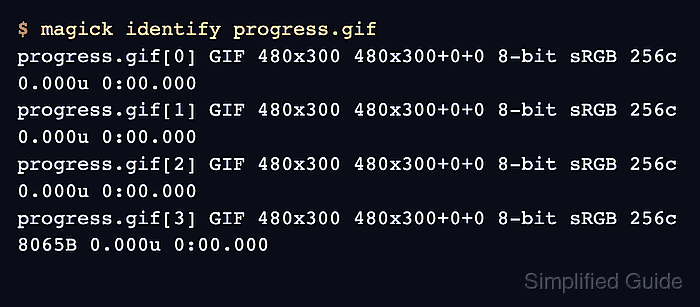
$ magick identify progress.gif
progress.gif[0] GIF 480x300 480x300+0+0 8-bit sRGB 256c 0.000u 0:00.000
progress.gif[1] GIF 480x300 480x300+0+0 8-bit sRGB 256c 0.000u 0:00.000
progress.gif[2] GIF 480x300 480x300+0+0 8-bit sRGB 256c 0.000u 0:00.000
progress.gif[3] GIF 480x300 480x300+0+0 8-bit sRGB 256c 8065B 0.000u 0:00.000
The four progress.gif[n] rows confirm that ImageMagick wrote a four-frame GIF sequence.
- Preview the GIF in an image viewer or browser.
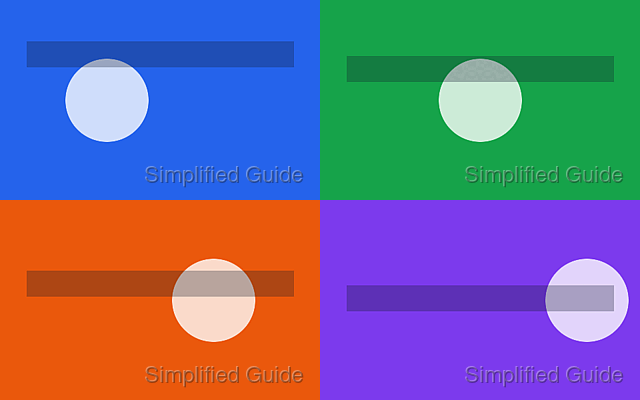
Confirm that playback order and speed match the intended animation.
- Rebuild the GIF with a different delay when playback is too fast or too slow.
$ magick -delay 25 -loop 0 frame-*.png -layers optimize progress-fast.gif
Smaller -delay values play faster, and larger values play slower.

Mohd Shakir Zakaria is a cloud architect with deep roots in software development and open-source advocacy. Certified in AWS, Red Hat, VMware, ITIL, and Linux, he specializes in designing and managing robust cloud and on-premises infrastructures.


