Resetting the Hyperledger Fabric test network returns the sample Docker Compose environment to a clean state after a lab run, failed startup, or chaincode test. The reset stops the sample peers and orderer, removes generated network artifacts, and leaves the downloaded Fabric samples plus base images available for another run.
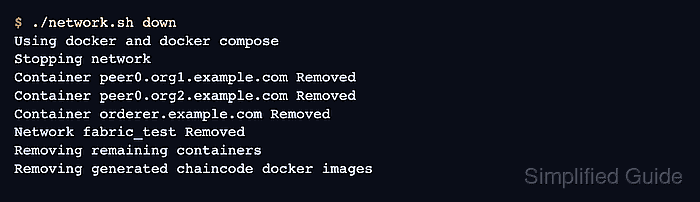
The supported reset path is ./network.sh down from fabric-samples/test-network. The script uses the sample compose files and Docker cleanup commands, so it should run from the test-network directory where the generated organizations, channel artifacts, and chaincode package files live.
A reset removes sample ledger state, generated MSP material, channel artifacts, compose volumes, and generated chaincode containers or images. It does not remove the fabric-samples checkout, the Fabric binaries under fabric-samples/bin, or the base hyperledger/fabric-* images pulled during installation.
Steps to reset the Hyperledger Fabric test network:
- Enter the Fabric test network directory.
$ cd "$HOME/fabric/fabric-samples/test-network"
Run network.sh from the sample test-network directory. The script locates compose files, crypto material, and channel artifacts relative to this checkout.
- Reset the test network.
$ ./network.sh down
Using docker and docker compose
Stopping network
Container peer0.org1.example.com Removed
Container peer0.org2.example.com Removed
Container orderer.example.com Removed
Network fabric_test Removed
Removing remaining containers
Removing generated chaincode docker images
This removes generated sample-network state, including peer and orderer containers, compose volumes, channel artifacts, generated organization material, and generated chaincode images.
- Confirm that the Fabric sample containers are gone.
$ docker ps -a --filter label=service=hyperledger-fabric
CONTAINER ID   IMAGE     COMMAND   CREATED   STATUS    PORTS     NAMES
No rows below the header means the peer and orderer containers created by the sample network are absent.
- Check for generated chaincode containers when chaincode was deployed.
$ docker ps -a --filter name=dev-peer
CONTAINER ID   IMAGE     COMMAND   CREATED   STATUS    PORTS     NAMES
Generated chaincode containers use names beginning with dev-peer. An empty table confirms that network.sh down removed them.
- Start the sample network as a clean-start smoke check.
$ ./network.sh up
Using docker and docker compose
Starting nodes with CLI timeout of '5' tries and CLI delay of '3' seconds and using database 'leveldb'
Network fabric_test Created
Container orderer.example.com Started
Container peer0.org1.example.com Started
Container peer0.org2.example.com Started
##### snipped #####
Use ./network.sh up createChannel instead when the next lab run should create the default channel immediately.
- Stop the smoke-test network when the reset check is complete.
$ ./network.sh down
Using docker and docker compose
Stopping network
Container peer0.org1.example.com Removed
Container peer0.org2.example.com Removed
Container orderer.example.com Removed
Network fabric_test Removed
Removing remaining containers
Removing generated chaincode docker images

Mohd Shakir Zakaria is a cloud architect with deep roots in software development and open-source advocacy. Certified in AWS, Red Hat, VMware, ITIL, and Linux, he specializes in designing and managing robust cloud and on-premises infrastructures.


