Enabling Prometheus metrics for Hyperledger Fabric gives monitoring systems a scrapeable view of peer or orderer process behavior. Operators use it when a Fabric node needs alerts, dashboards, or capacity signals from the same operations service that exposes health and version endpoints.
Fabric serves Prometheus metrics from /metrics on the operations listener. Peer nodes use the lower-case metrics.provider key in core.yaml, while orderer nodes use the capitalized Metrics.Provider key in orderer.yaml.
Use a dedicated operations TLS setup before exposing the metrics endpoint beyond loopback. When operations TLS is enabled, Prometheus needs a trusted operations CA file plus a valid client certificate and key to scrape /metrics.
Steps to enable Hyperledger Fabric metrics for Prometheus:
- Confirm the configuration directory used by the Fabric node.
$ echo "$FABRIC_CFG_PATH"
/etc/hyperledger/fabric
peer and orderer load core.yaml or orderer.yaml from FABRIC_CFG_PATH unless the service wrapper sets another path.
- Open the peer configuration file when the target node is a peer.
$ sudoedit /etc/hyperledger/fabric/core.yaml
- Set the peer operations listener and Prometheus metrics provider.
operations:
  listenAddress: 0.0.0.0:9443
  tls:
    enabled: true
    cert:
      file: operations/server.crt
    key:
      file: operations/server.key
    clientAuthRequired: true
    clientRootCAs:
      files:
        - operations/ops-ca.crt

metrics:
  provider: prometheus
Use 127.0.0.1:9443 when Prometheus runs on the same host. Use a management-network address instead of 0.0.0.0 when the server has interfaces that should not expose the operations service.
- Use the orderer key names when the target node is an orderer.
Operations:
  ListenAddress: 0.0.0.0:8443
  TLS:
    Enabled: true
    PrivateKey: operations/server.key
    Certificate: operations/server.crt
    ClientRootCAs:
      - operations/ops-ca.crt
    ClientAuthRequired: true

Metrics:
  Provider: prometheus
Skip this orderer block for peer nodes. The endpoint path remains /metrics, but the orderer configuration keys are capitalized.
- Restart the Fabric node with the updated configuration.
$ sudo systemctl restart fabric-peer
Replace fabric-peer with the actual peer or orderer service unit, container, or pod name used by the deployment.
- Check the startup log for the operations listener and Prometheus provider.
$ journalctl -u fabric-peer --no-pager
Jun 20 22:45:33 peer0 peer[1]: Starting peer:
##### snipped #####
Jun 20 22:45:33 peer0 peer[1]: metrics:
Jun 20 22:45:33 peer0 peer[1]:   provider: prometheus
Jun 20 22:45:33 peer0 peer[1]: operations:
Jun 20 22:45:33 peer0 peer[1]:   listenaddress: 0.0.0.0:9443
##### snipped #####
Jun 20 22:45:33 peer0 peer[1]: Started peer with ID=[peer0.org1.example.com]
- Request the Fabric metrics endpoint with the operations client certificate.
$ curl --silent --show-error \
  --cacert /etc/prometheus/fabric-ops/ops-ca.crt \
  --cert /etc/prometheus/fabric-ops/ops-client.crt \
  --key /etc/prometheus/fabric-ops/ops-client.key \
  https://peer0.example.com:9443/metrics
# HELP fabric_version The active version of Fabric.
# TYPE fabric_version gauge
fabric_version{version="v2.5.16"} 1
##### snipped #####
Use the orderer operations endpoint, such as https://orderer.example.com:8443/metrics, when scraping an orderer.
- Create the Prometheus directory for Fabric operations credentials.
$ sudo install -d -m 0750 /etc/prometheus/fabric-ops
- Install the operations CA and client certificate files on the Prometheus host.
$ sudo install -m 0640 -t /etc/prometheus/fabric-ops \
  ops-ca.crt ops-client.crt ops-client.key
Treat the operations client key as access to Fabric operational endpoints. Store it with the same controls used for other monitoring credentials.
- Add a Fabric scrape job to the Prometheus configuration.
- /etc/prometheus/prometheus.yml
scrape_configs:
  - job_name: fabric-peer
    scheme: https
    metrics_path: /metrics
    static_configs:
      - targets:
          - peer0.example.com:9443
    tls_config:
      ca_file: /etc/prometheus/fabric-ops/ops-ca.crt
      cert_file: /etc/prometheus/fabric-ops/ops-client.crt
      key_file: /etc/prometheus/fabric-ops/ops-client.key
      server_name: peer0.example.com
Add one target per peer or orderer operations endpoint. Use separate job names such as fabric-orderer when different alert rules or dashboard labels should separate peer and orderer metrics.
- Check the Prometheus configuration before reloading.
$ promtool check config /etc/prometheus/prometheus.yml
Checking /etc/prometheus/prometheus.yml
 SUCCESS: /etc/prometheus/prometheus.yml is valid prometheus config file syntax
- Reload Prometheus to apply the scrape job.
$ sudo systemctl reload prometheus
For container or Kubernetes deployments, reload or restart Prometheus through the deployment mechanism that manages the active configuration.
- Confirm that Prometheus marks the Fabric target as up.
$ curl --silent --show-error http://prometheus.example.com:9090/api/v1/targets
{"status":"success","data":{"activeTargets":[
{"scrapePool":"fabric-peer","scrapeUrl":"https://peer0.example.com:9443/metrics","health":"up","lastError":""}
##### snipped #####
]}}
If health is down, inspect lastError first. Certificate trust errors usually point to the ca_file or server_name setting, while HTTP 401 or TLS client-certificate errors point to the client certificate and key.
- Query a Fabric metric through Prometheus.
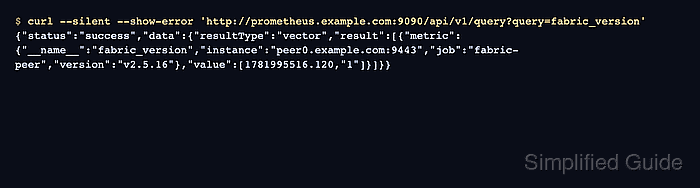
$ curl --silent --show-error 'http://prometheus.example.com:9090/api/v1/query?query=fabric_version'
{"status":"success","data":{"resultType":"vector","result":[{"metric":{"__name__":"fabric_version","instance":"peer0.example.com:9443","job":"fabric-peer","version":"v2.5.16"},"value":[1781995516.120,"1"]}]}}
fabric_version confirms that Prometheus scraped the Fabric node. Use the Fabric metrics reference to choose peer, orderer, ledger, gateway, or consensus metrics for dashboards and alert rules.

Mohd Shakir Zakaria is a cloud architect with deep roots in software development and open-source advocacy. Certified in AWS, Red Hat, VMware, ITIL, and Linux, he specializes in designing and managing robust cloud and on-premises infrastructures.


