The Hyperledger Fabric operations service exposes the peer or orderer HTTP endpoints that monitoring and support teams use for health, version, log-level, and metrics checks. Configuring a dedicated listener with client-certificate authentication keeps operational access separate from the channel-facing Fabric services.
Fabric reads peer operations settings from core.yaml under operations and orderer operations settings from orderer.yaml under Operations. The operations API does not use channel MSP access control, so mutual TLS, where the server and client both present certificates, becomes the access boundary for log and metrics endpoints.
Examples use peer0.example.com:9443 for a peer and orderer.example.com:8443 for an orderer. Keep the listener on loopback only when TLS is disabled; expose it to monitoring hosts only with TLS enabled, a trusted operations client root CA, and a client certificate.
Steps to configure the Hyperledger Fabric operations service:
- Confirm the configuration directory used by the Fabric node.
$ echo "$FABRIC_CFG_PATH"
/etc/hyperledger/fabric
peer and orderer load core.yaml or orderer.yaml from FABRIC_CFG_PATH unless the service wrapper sets another path.
- Create a directory for operations-service TLS files.
$ sudo install -d -m 0750 /etc/hyperledger/fabric/operations
- Install the operations CA, server certificate, and server key.
$ sudo install -m 0640 -t /etc/hyperledger/fabric/operations \
  ops-ca.crt server.crt server.key
Use certificates from a dedicated operations CA. Do not reuse a CA that issued peer, orderer, organization, or channel membership certificates.
- Open the peer configuration file when the target node is a peer.
$ sudoedit /etc/hyperledger/fabric/core.yaml
- Set the peer operations listener, TLS files, client root CA, and Prometheus provider.
operations:
  listenAddress: 0.0.0.0:9443
  tls:
    enabled: true
    cert:
      file: operations/server.crt
    key:
      file: operations/server.key
    clientAuthRequired: true
    clientRootCAs:
      files:
        - operations/ops-ca.crt

metrics:
  provider: prometheus
Use 127.0.0.1:9443 when only local probes should reach the peer. Use a specific management-network address instead of 0.0.0.0 when the host has multiple interfaces.
- Use the orderer key names when the target node is an orderer.
Operations:
  ListenAddress: 0.0.0.0:8443
  TLS:
    Enabled: true
    PrivateKey: operations/server.key
    Certificate: operations/server.crt
    ClientRootCAs:
      - operations/ops-ca.crt
    ClientAuthRequired: true

Metrics:
  Provider: prometheus
Skip this orderer block for peer nodes. The endpoint behavior is the same, but the orderer configuration keys are capitalized.
- Restart the Fabric node with the updated configuration.
$ sudo systemctl restart fabric-peer
Replace fabric-peer with the actual peer or orderer service unit, container, or pod name used by the deployment.
- Check the node startup log for the operations listener and TLS settings.
$ journalctl -u fabric-peer --no-pager
Jun 20 21:55:14 peer0 peer[1]: Starting peer:
##### snipped #####
Jun 20 21:55:14 peer0 peer[1]: operations:
Jun 20 21:55:14 peer0 peer[1]:   listenaddress: 0.0.0.0:9443
Jun 20 21:55:14 peer0 peer[1]:   tls:
Jun 20 21:55:14 peer0 peer[1]:     clientauthrequired: "true"
Jun 20 21:55:14 peer0 peer[1]: metrics:
Jun 20 21:55:14 peer0 peer[1]:   provider: prometheus
##### snipped #####
Jun 20 21:55:14 peer0 peer[1]: Started peer with ID=[peer0.org1.example.com]
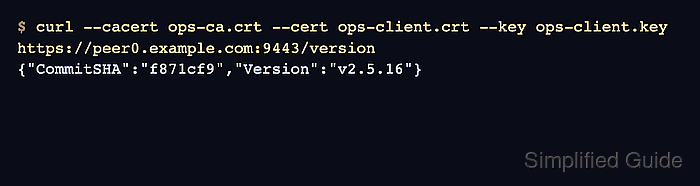
- Verify the operations service version endpoint with a trusted client certificate.
$ curl --silent --show-error \
  --cacert /etc/hyperledger/fabric/operations/ops-ca.crt \
  --cert /etc/hyperledger/fabric/operations/ops-client.crt \
  --key /etc/hyperledger/fabric/operations/ops-client.key \
  https://peer0.example.com:9443/version
{"CommitSHA":"f871cf9","Version":"v2.5.16"}
Use the orderer operations host and port, such as https://orderer.example.com:8443/version, when checking an orderer.
- Verify the operations health endpoint.
$ curl --silent --show-error \
  --cacert /etc/hyperledger/fabric/operations/ops-ca.crt \
  --cert /etc/hyperledger/fabric/operations/ops-client.crt \
  --key /etc/hyperledger/fabric/operations/ops-client.key \
  https://peer0.example.com:9443/healthz
{"status":"OK","time":"2026-06-20T21:55:15.095248546Z"}
A 503 response includes failed_checks. On peers, Docker chaincode or CouchDB checks can fail when those dependencies are configured but unreachable.
- Confirm the current operations log specification.
$ curl --silent --show-error \
  --cacert /etc/hyperledger/fabric/operations/ops-ca.crt \
  --cert /etc/hyperledger/fabric/operations/ops-client.crt \
  --key /etc/hyperledger/fabric/operations/ops-client.key \
  https://peer0.example.com:9443/logspec
{"spec":"info"}
The logspec endpoint can change runtime logging levels. Restrict client certificates to monitoring and operations identities that are allowed to change node diagnostics.
- Confirm the Prometheus metrics endpoint when metrics.provider is prometheus.
$ curl --silent --show-error \
  --cacert /etc/hyperledger/fabric/operations/ops-ca.crt \
  --cert /etc/hyperledger/fabric/operations/ops-client.crt \
  --key /etc/hyperledger/fabric/operations/ops-client.key \
  https://peer0.example.com:9443/metrics
# HELP fabric_version The active version of Fabric.
# TYPE fabric_version gauge
fabric_version{version="v2.5.16"} 1
##### snipped #####
Keep Prometheus scrape credentials and trust roots aligned with the operations client CA.
Related: Enable Prometheus metrics for Hyperledger Fabric

Mohd Shakir Zakaria is a cloud architect with deep roots in software development and open-source advocacy. Certified in AWS, Red Hat, VMware, ITIL, and Linux, he specializes in designing and managing robust cloud and on-premises infrastructures.


