Revoking a Hyperledger Fabric certificate removes trust in a specific Fabric CA enrollment certificate before its expiry. Use it when a private key is exposed, an operator leaves a role, or an old MSP copy should no longer authorize Fabric actions.
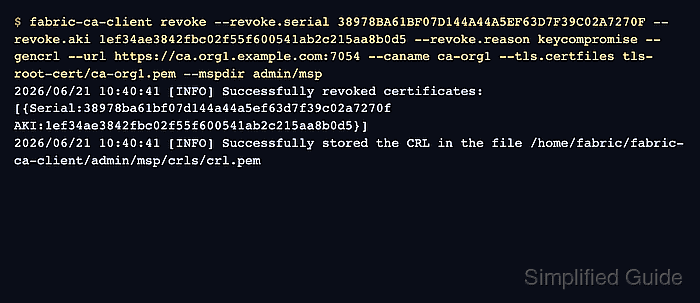
Fabric CA revokes certificates by the certificate serial number and Authority Key Identifier (AKI). The fabric-ca-client revoke command updates the CA database, and --gencrl writes a PEM certificate revocation list under the admin MSP.
The CRL must reach the MSPs that enforce membership before Fabric peers, orderers, or applications reject the revoked material. Keep a separate non-revoked admin MSP available, because revoking the wrong admin certificate can block the organization from signing the channel update that publishes the CRL.
Steps to revoke a Fabric CA enrollment certificate:
- Inspect the certificate stored in the MSP that should lose access.
$ openssl x509 -in auditor/msp/signcerts/cert.pem -noout -subject -issuer -serial
subject=C=US, ST=North Carolina, O=Hyperledger, OU=client, CN=auditor1
issuer=C=US, ST=North Carolina, O=Hyperledger, OU=Fabric, CN=fabric-ca-server
serial=38978BA61BF07D144A44A5EF63D7F39C02A7270F
Use the MSP path that the Fabric client, peer, or orderer actually uses. For a peer local MSP, this is the path configured as peer.mspConfigPath. For an orderer local MSP, it is General.LocalMSPDir.
Tool: SSL Certificate Decoder - List the unrevoked certificate record from the CA.
$ fabric-ca-client certificate list --id auditor1 --notrevoked --notexpired --url https://ca.org1.example.com:7054 --caname ca-org1 --tls.certfiles tls-root-cert/ca-org1.pem --mspdir admin/msp
Certificate:
    Data:
        Serial Number: 323083060822868405042486441490361677633259251471 (0x38978ba61bf07d144a44a5ef63d7f39c02a7270f)
        Issuer: C=US,ST=North Carolina,O=Hyperledger,OU=Fabric,CN=fabric-ca-server
        Subject: C=US,ST=North Carolina,O=Hyperledger,OU=client,CN=auditor1
        X509v3 Authority Key Identifier:
            keyid:1E:F3:4A:E3:84:2F:BC:02:F5:5F:60:05:41:AB:2C:21:5A:A8:B0:D5
##### snipped #####
Use the hex serial from the 0x value without the 0x prefix. Use the keyid value without colons for the AKI.
- Revoke the certificate and generate a CRL in the admin MSP.
$ fabric-ca-client revoke --revoke.serial 38978BA61BF07D144A44A5EF63D7F39C02A7270F --revoke.aki 1ef34ae3842fbc02f55f600541ab2c215aa8b0d5 --revoke.reason keycompromise --gencrl --url https://ca.org1.example.com:7054 --caname ca-org1 --tls.certfiles tls-root-cert/ca-org1.pem --mspdir admin/msp
2026/06/21 10:40:41 [INFO] Successfully revoked certificates: [{Serial:38978ba61bf07d144a44a5ef63d7f39c02a7270f AKI:1ef34ae3842fbc02f55f600541ab2c215aa8b0d5}]
2026/06/21 10:40:41 [INFO] Successfully stored the CRL in the file /home/fabric/fabric-ca-client/admin/msp/crls/crl.pem
--revoke.name revokes all certificates for an enrollment ID. Use --revoke.serial and --revoke.aki when only one certificate should be invalidated.
- Confirm the CRL contains the revoked serial.
$ openssl crl -in admin/msp/crls/crl.pem -noout -text Certificate Revocation List (CRL): Version 2 (0x1) Signature Algorithm: ecdsa-with-SHA256 Issuer: C=US, ST=North Carolina, O=Hyperledger, OU=Fabric, CN=fabric-ca-server Last Update: Jun 21 10:40:41 2026 GMT Next Update: Jun 22 10:40:41 2026 GMT Revoked Certificates: Serial Number: 38978BA61BF07D144A44A5EF63D7F39C02A7270F Revocation Date: Jun 21 10:40:41 2026 GMT ##### snipped ##### - Install the CRL into local MSPs that verify this organization from disk.
$ install -D -m 0644 admin/msp/crls/crl.pem organizations/peerOrganizations/org1.example.com/msp/crls/crl.pem
Repeat this for each peer, orderer, gateway, or application runtime that reads a local MSP copy for the affected organization.
- Fetch the current channel config as an Org1MSP admin.
$ export CORE_PEER_LOCALMSPID=Org1MSP
$ export CORE_PEER_MSPCONFIGPATH=$PWD/organizations/peerOrganizations/org1.example.com/users/Admin@org1.example.com/msp
$ peer channel fetch config config_block.pb -o orderer.example.com:7050 -c mychannel --tls --cafile "$PWD/orderer/tls/ca.crt"
- Add the CRL to the Org1MSP revocation list in a copy of the config.
$ configtxlator proto_decode --input config_block.pb --type common.Block | jq '.data.data[0].payload.data.config' > config.json
$ jq --arg crl "$(base64 -w 0 admin/msp/crls/crl.pem)" '.channel_group.groups.Application.groups.Org1MSP.values.MSP.value.config.revocation_list += [$crl]' config.json > modified_config.json
The channel config stores each CRL as a base64-encoded PEM string, and += keeps any CRL already in the list.
- Build org1-crl-update.tx from the difference between the two configs.
$ configtxlator proto_encode --input config.json --type common.Config --output config.pb $ configtxlator proto_encode --input modified_config.json --type common.Config --output modified_config.pb $ configtxlator compute_update --channel_id mychannel --original config.pb --updated modified_config.pb --output org1-crl-update.pb $ configtxlator proto_decode --input org1-crl-update.pb --type common.ConfigUpdate --output org1-crl-update.json $ jq -n --slurpfile update org1-crl-update.json '{payload:{header:{channel_header:{channel_id:"mychannel",type:2}},data:{config_update:$update[0]}}}' > org1-crl-update-envelope.json $ configtxlator proto_encode --input org1-crl-update-envelope.json --type common.Envelope --output org1-crl-update.tx - Submit the channel config update that adds the CRL to the organization MSP.
$ peer channel update -f org1-crl-update.tx -c mychannel -o orderer.example.com:7050 --tls --cafile "$PWD/orderer/tls/ca.crt"
2026-11-07 06:04:14.730 UTC 0002 INFO [channelCmd] update -> Successfully submitted channel update
peer channel update adds the active admin's signature, which is enough under the default Org1MSP policy. A customized policy that needs more signatures takes them from peer channel signconfigtx -f org1-crl-update.tx run by each required admin before the submit. A local MSP file copy alone does not update existing channel MSP configuration.
- Retest a Fabric action with the revoked MSP after the channel update is committed.
$ CORE_PEER_MSPCONFIGPATH=auditor/msp peer chaincode query -C mychannel -n asset-transfer -c '{"Args":["ReadAsset","asset1"]}'
Error: endorsement failure during query. response: status:500 message:"access denied: creator certificate is revoked"
Use an operation the certificate previously authorized. A different policy or TLS error means the retest did not reach the CRL enforcement path.