SNI routing lets HAProxy choose a TCP backend before decrypting the TLS connection. The decisive proof is that two client handshakes to the same listener, with different server names, reach different backend certificates or services.
In TLS passthrough mode, HAProxy inspects the ClientHello long enough to read req.ssl_sni and then forwards the encrypted stream to the selected backend. HAProxy does not see HTTP headers, paths, or decrypted request bodies in this mode.
Use SNI passthrough when backend services must terminate their own TLS or when certificates stay on the application nodes. If HAProxy terminates TLS itself, use HTTP-mode routing and TLS-termination variables instead of the TCP passthrough pattern below.
Steps to route TLS traffic by SNI in HAProxy:
- Confirm that each backend TLS service answers directly from the HAProxy host.
$ openssl s_client -connect 10.0.20.11:443 -servername app1.example.net -brief
Peer certificate: CN=app1.example.net
##### snipped #####
$ openssl s_client -connect 10.0.20.12:443 -servername app2.example.net -brief
Peer certificate: CN=app2.example.net
##### snipped #####
- Open the active HAProxy configuration file.
$ sudoedit /etc/haproxy/haproxy.cfg
- Add a TCP frontend that inspects SNI before selecting a backend.
- /etc/haproxy/haproxy.cfg
frontend fe_tls_passthrough
    bind :443
    mode tcp
    tcp-request inspect-delay 5s
    tcp-request content accept if { req.ssl_hello_type 1 }
    use_backend be_app1 if { req.ssl_sni -i app1.example.net }
    use_backend be_app2 if { req.ssl_sni -i app2.example.net }
    default_backend be_default

backend be_app1
    mode tcp
    server app1 10.0.20.11:443 check

backend be_app2
    mode tcp
    server app2 10.0.20.12:443 check

backend be_default
    mode tcp
    server app1 10.0.20.11:443 check
inspect-delay gives HAProxy time to receive the TLS ClientHello. The content accept line stops waiting once a TLS hello is present.
- Validate the complete HAProxy configuration.
$ sudo haproxy -c -V -f /etc/haproxy/haproxy.cfg
Configuration file is valid
- Reload HAProxy after validation succeeds.
$ sudo systemctl reload haproxy
Related: How to reload HAProxy gracefully
- Test the first SNI name through the HAProxy listener.
$ openssl s_client -connect edge.example.net:443 -servername app1.example.net
subject=CN=app1.example.net
Use the public listener address with the backend hostname in -servername.
Tool: TLS Handshake Trace - Test the second SNI name through the same listener.
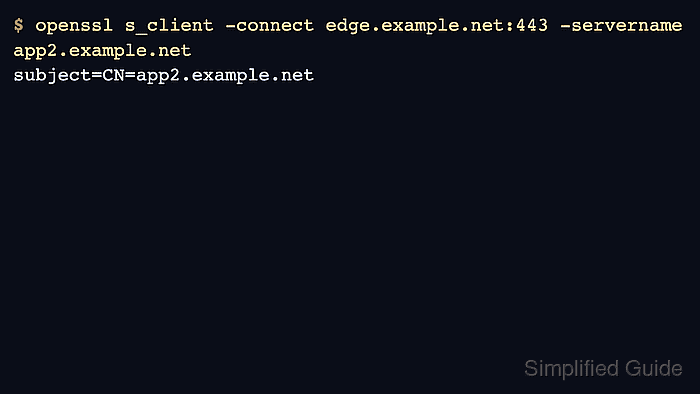
$ openssl s_client -connect edge.example.net:443 -servername app2.example.net
subject=CN=app2.example.net
- Check the default route with an unknown SNI name.
Clients that omit SNI or send an unexpected name will use default_backend. Point that backend to a safe default service or a controlled rejection path.

Mohd Shakir Zakaria is a cloud architect with deep roots in software development and open-source advocacy. Certified in AWS, Red Hat, VMware, ITIL, and Linux, he specializes in designing and managing robust cloud and on-premises infrastructures.


