The HAProxy Prometheus exporter should expose metrics from the running proxy without mixing monitoring traffic into application frontends. The useful proof is a dedicated metrics endpoint that returns HAProxy metric names and a Prometheus scrape job that targets that endpoint deliberately.
Current HAProxy builds can include the Prometheus exporter as a built-in service. The exporter is enabled from an HTTP frontend with http-request use-service prometheus-exporter, so no separate exporter process is required when the binary was built with that feature.
Bind the example listener to loopback or a private monitoring network, validate the file, reload HAProxy, and confirm Prometheus can scrape /metrics. Do not expose the metrics endpoint publicly because it can reveal listener names, backend names, traffic rates, and health state.
Related: How to enable the HAProxy stats page
Related: How to validate an HAProxy configuration file
Related: How to reload HAProxy gracefully
Steps to enable HAProxy Prometheus exporter:
- Confirm the HAProxy binary includes the Prometheus exporter service.
$ haproxy -vv | grep -i prometheus
Built with the Prometheus exporter as a service
If the output does not mention the Prometheus exporter, install a package or build that includes PROMEX support before adding the frontend.
- Choose a metrics listener address.
The example uses 127.0.0.1:8405 so a local Prometheus agent or tunnel can scrape it. Use a private monitoring address only when firewall rules restrict access to trusted scrapers.
- Open the active HAProxy configuration file.
$ sudoedit /etc/haproxy/haproxy.cfg
- Add a dedicated Prometheus frontend.
- /etc/haproxy/haproxy.cfg
frontend prometheus
    bind 127.0.0.1:8405
    mode http
    http-request use-service prometheus-exporter if { path /metrics }
    http-request return status 404
    no log
The use-service action serves metrics only for /metrics. The fallback 404 keeps other paths from returning application traffic or stats HTML.
- Validate the complete HAProxy configuration.
$ sudo haproxy -c -V -f /etc/haproxy/haproxy.cfg
Configuration file is valid
- Reload HAProxy after validation succeeds.
$ sudo systemctl reload haproxy
Related: How to reload HAProxy gracefully
- Request the metrics endpoint from the HAProxy host.
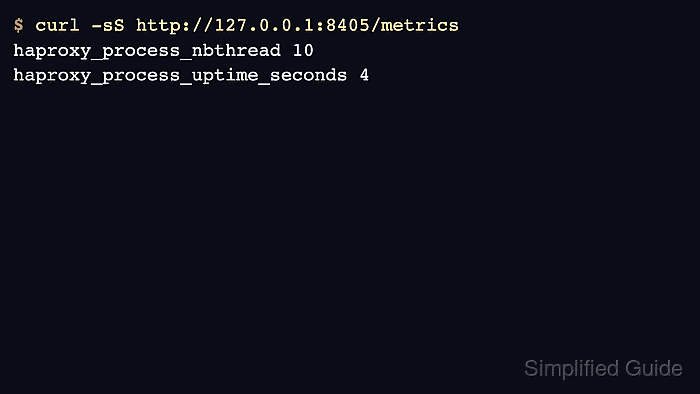
$ curl -sS http://127.0.0.1:8405/metrics
# HELP haproxy_process_nbthread Number of started threads
haproxy_process_nbthread 10
# HELP haproxy_process_uptime_seconds How long ago this worker process was started
haproxy_process_uptime_seconds 4
##### snipped #####
The response should use Prometheus text exposition format and include haproxy_ metric names.
- Add a Prometheus scrape job for the endpoint.
- prometheus.yml
scrape_configs:
  - job_name: haproxy
    metrics_path: /metrics
    static_configs:
      - targets:
          - 127.0.0.1:8405
        labels:
          role: edge-lb
Generate the final job with stable labels, intervals, and target grouping before changing Prometheus.
Tool: Prometheus Scrape Config Generator - Reload or restart Prometheus through the platform's normal configuration workflow.
The exact Prometheus reload command depends on how Prometheus is installed. After reload, the target should appear as UP for the haproxy job.

Mohd Shakir Zakaria is a cloud architect with deep roots in software development and open-source advocacy. Certified in AWS, Red Hat, VMware, ITIL, and Linux, he specializes in designing and managing robust cloud and on-premises infrastructures.


