Plain HTTP traffic at the HAProxy edge should receive an immediate HTTPS redirect before any request reaches the backend pool. A redirect at the load balancer keeps the application servers focused on serving the site while HAProxy returns the status code and Location header that tell clients to retry the same URL over TLS.
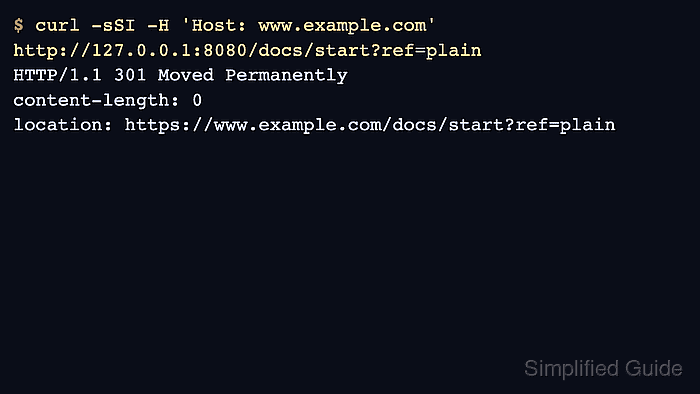
HAProxy handles this in HTTP mode with http-request redirect. The scheme https form changes only the URL scheme, while the unless { ssl_fc } condition skips requests that already arrived over an SSL/TLS frontend connection. With a normal host header and a standard HTTPS listener, the redirected URL keeps the original host, path, and query string.
Use a permanent 301 redirect only after the HTTPS listener, certificate, backend route, and canonical hostname are ready for clients and crawlers. Use the default temporary redirect or an explicit 302 while testing, and use 308 only when clients must preserve the original request method during the redirect. Certificate issuance, TLS termination, and HSTS policy stay separate from this redirect rule.
Related: How to configure TLS termination in HAProxy
Related: How to validate an HAProxy configuration file
Related: How to reload HAProxy gracefully
Tool: HTTP Redirect Checker
Steps to redirect HTTP to HTTPS with HAProxy:
- Confirm that the HTTPS endpoint already serves the site.
$ curl -sS -i https://www.example.net/
HTTP/2 200
content-type: text/html

<!doctype html>
Do not force all clients to HTTPS until the certificate chain, SNI name, backend route, and application response are working on the HTTPS listener.
- Open the HAProxy configuration file.
$ sudoedit /etc/haproxy/haproxy.cfg
Package-managed Debian and Ubuntu hosts normally use /etc/haproxy/haproxy.cfg and the haproxy systemd service. Keep generated or staged deployments aligned with the file path that the service actually loads.
- Add the redirect rule to the frontend or listen section that receives the plain HTTP request.
- /etc/haproxy/haproxy.cfg
frontend www_public
    mode http
    bind :80
    bind :443 ssl crt /etc/haproxy/certs/www.example.net.pem alpn h2,http/1.1
    http-request redirect scheme https code 301 unless { ssl_fc }
    default_backend app_servers

backend app_servers
    server app1 10.0.0.21:80 check
http-request redirect scheme https returns the redirect from HAProxy itself. The request is not sent to app_servers when the redirect condition matches.
When port 80 and port 443 use separate frontends, place the redirect rule in the port 80 frontend. Keep the HTTPS frontend focused on serving the backend.
If HTTPS uses a different public host or a nonstandard port, use an explicit location redirect instead of scheme https so the Location header names the exact client-facing URL.
- Validate the complete HAProxy configuration.
$ sudo haproxy -c -V -f /etc/haproxy/haproxy.cfg
Configuration file is valid
-c checks the configuration and exits without binding listeners. -V prints the success message; automation should still use the command exit status.
- Reload HAProxy after the configuration check succeeds.
$ sudo systemctl reload haproxy
A failed reload should leave the previous process serving traffic. Treat any reload error as a stop point and re-run the validation command before trying again.
Related: How to reload HAProxy gracefully
- Request the HTTP URL and check the redirect response.
$ curl -sSI http://www.example.net/docs/start?ref=plain
HTTP/1.1 301 Moved Permanently
content-length: 0
location: https://www.example.net/docs/start?ref=plain
The Location value should use https:// and keep the expected host, path, and query string. If it keeps the plain HTTP port or points to an internal name, check the client Host header and any upstream proxy or CDN that sits in front of HAProxy.
- Confirm that the HTTPS URL reaches the backend instead of redirecting again.
$ curl -sS -i https://www.example.net/docs/start?ref=plain
HTTP/2 200
content-type: text/html

<!doctype html>
A repeated redirect on the HTTPS request usually means HAProxy is not seeing the TLS connection state for that frontend. Check that the HTTPS bind line includes ssl and that the redirect condition still includes unless { ssl_fc }.
- Trace the public URL after DNS, CDN, or firewall changes are in place.
The final public check should show one HTTP-to-HTTPS hop followed by the expected HTTPS response. Extra host changes, mixed temporary and permanent status codes, or loops usually point to another redirect rule outside this HAProxy frontend.

Mohd Shakir Zakaria is a cloud architect with deep roots in software development and open-source advocacy. Certified in AWS, Red Hat, VMware, ITIL, and Linux, he specializes in designing and managing robust cloud and on-premises infrastructures.


