Putting HAProxy in front of MySQL or MariaDB gives applications one database endpoint, but the proxy must treat database sessions as TCP streams and remove failed database nodes before clients connect to them. A checked backend keeps refused or timed-out database ports out of rotation while the application keeps using the same host and port.
The HAProxy configuration uses a frontend to listen on the database endpoint and a backend to describe the database nodes that can receive connections. mode tcp preserves the MySQL protocol stream, balance leastconn favors the eligible server with fewer open sessions, and option mysql-check asks each checked server for a MySQL handshake instead of only proving that a TCP port opens.
HAProxy does not create MySQL replication, promote a primary, or verify that two database nodes contain the same data. Use an active server plus a backup server for a single-writer endpoint, and remove backup only when the database technology and application traffic are safe for multiple active nodes. Validate the finished file before reload, then prove the endpoint with a database query and a planned failover test.
Steps to configure HAProxy for high availability MySQL:
- Confirm which database nodes can receive traffic through the shared endpoint.
Do not send write traffic to replicas unless the replication or cluster design explicitly supports it. For an ordinary primary plus standby layout, keep only the current primary active in HAProxy and mark the standby as backup until it is safe to receive client sessions.
- Confirm that the MySQL service listens from the HAProxy host on each backend address.
$ mysql --host db-mysql-01.example.net --port 3306 --user app_user --password --execute "SELECT @@hostname AS backend_host, @@port AS backend_port"
Enter password:
+--------------+--------------+
| backend_host | backend_port |
+--------------+--------------+
| db-mysql-01  |         3306 |
+--------------+--------------+
Repeat the check for every database node before editing HAProxy. A local-only MySQL bind address such as 127.0.0.1 on the database host will not work from the load balancer.
- Back up the active HAProxy configuration.
$ sudo cp /etc/haproxy/haproxy.cfg /etc/haproxy/haproxy.cfg.before-mysql-ha
- Open the HAProxy configuration file.
$ sudoedit /etc/haproxy/haproxy.cfg
- Add a TCP frontend and a checked MySQL backend.
frontend mysql_front
    bind 10.0.0.50:3306
    mode tcp
    default_backend mysql_cluster

backend mysql_cluster
    mode tcp
    balance leastconn
    option mysql-check
    default-server inter 2s fall 3 rise 2
    server mysql1 10.0.10.11:3306 check
    server mysql2 10.0.10.12:3306 check backup
Setting Purpose bind 10.0.0.50:3306 Listens on the load balancer address or database virtual IP. Use *:3306 only when every local interface should accept database clients. mode tcp Keeps HAProxy from treating the MySQL stream as HTTP. balance leastconn Sends new sessions to the eligible backend with fewer current connections. option mysql-check Verifies that a backend returns a MySQL protocol handshake. default-server inter 2s fall 3 rise 2 Checks every two seconds, removes a server after three failures, and returns it after two successful checks. backup Keeps the standby out of normal rotation until all non-backup servers are unavailable. option mysql-check proves that the database server speaks MySQL, not that it is writable, caught up, or safe for the current application workload.
Handshake checks open and close unauthenticated MySQL sessions. Some database logs report those as normal aborted unauthenticated connections; increase the check interval or use a compatible source-limited mysql-check user account only when the logging policy requires it.
- Validate the HAProxy configuration before applying it.
$ sudo haproxy -c -V -f /etc/haproxy/haproxy.cfg
Configuration file is valid
-c checks the configuration and exits without binding listeners. -V prints the visible success message; the exit status is still the signal automation should trust.
- Reload HAProxy to apply the MySQL endpoint.
$ sudo systemctl reload haproxy
The current Ubuntu haproxy package validates the file during reload before sending the reload signal. Keep the manual validation step when using another package source or init system.
Related: How to reload HAProxy gracefully
- Confirm that HAProxy is listening on the MySQL endpoint.
$ sudo ss --tcp --listening --numeric --processes sport = :3306
State  Recv-Q Send-Q Local Address:Port  Peer Address:PortProcess
LISTEN 0      4096       10.0.0.50:3306       0.0.0.0:*    users:(("haproxy",pid=2481,fd=7))
- Query through the HAProxy endpoint with an application account.
$ mysql --host db-lb.example.net --port 3306 --user app_user --password --execute "SELECT @@hostname AS backend_host, @@port AS backend_port"
Enter password:
+--------------+--------------+
| backend_host | backend_port |
+--------------+--------------+
| db-mysql-01  |         3306 |
+--------------+--------------+
- Run a planned failover test in staging or during a maintenance window.
$ sudo systemctl stop mysql
Run the stop command on the active database node, not on the HAProxy host. Use the installed unit name, such as mysql, mysqld, or mariadb.
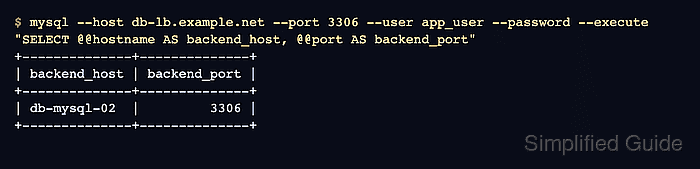
- Query the same HAProxy endpoint after the health check marks the active backend down.
$ mysql --host db-lb.example.net --port 3306 --user app_user --password --execute "SELECT @@hostname AS backend_host, @@port AS backend_port"
Enter password:
+--------------+--------------+
| backend_host | backend_port |
+--------------+--------------+
| db-mysql-02  |         3306 |
+--------------+--------------+
A new connection reaching the backup node proves HAProxy has removed the failed active server from the eligible pool. Existing MySQL sessions do not move; reconnecting clients open new sessions through the current backend decision.
- Start the recovered database service after the maintenance test.
$ sudo systemctl start mysql
- Confirm that new sessions return to the active node after it passes health checks.
$ mysql --host db-lb.example.net --port 3306 --user app_user --password --execute "SELECT @@hostname AS backend_host, @@port AS backend_port"
Enter password:
+--------------+--------------+
| backend_host | backend_port |
+--------------+--------------+
| db-mysql-01  |         3306 |
+--------------+--------------+
- Point applications to the HAProxy endpoint instead of individual database hosts.
A single HAProxy node is still a single point of failure. Use a floating IP, Pacemaker, keepalived, cloud load balancer, or another redundant front-end design when the database endpoint itself must survive load balancer host loss.
Related: HAProxy high availability with PCS

Mohd Shakir Zakaria is a cloud architect with deep roots in software development and open-source advocacy. Certified in AWS, Red Hat, VMware, ITIL, and Linux, he specializes in designing and managing robust cloud and on-premises infrastructures.


