Validating an HAProxy configuration before a reload catches misspelled directives, broken sections, and bad file references before the running proxy is touched. A successful check means the candidate file parsed and the haproxy command exited with status 0.
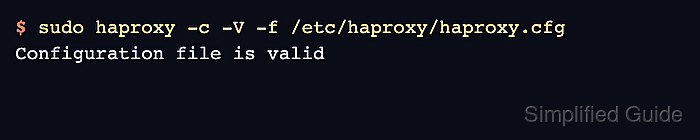
The haproxy binary performs a parse-only check with -c and reads one or more files or directories supplied with -f. Adding -V prints Configuration file is valid on success; automation should still use the command exit status instead of matching that text.
The check exits before binding listeners, so it does not prove that backend services answer, that a later reload will keep traffic flowing, or that every runtime permission matches the service account. Use the same file list and working directory that the HAProxy service will use, especially when the configuration references relative maps, certificates, error files, or Lua scripts.
Related: How to install the HAProxy package on Ubuntu
Related: How to reload HAProxy gracefully
Steps to validate an HAProxy configuration file:
- Open a terminal on the HAProxy host or in the build environment that produced the candidate configuration.
Install the package first if the haproxy binary is not present on the validation host.
- Identify the exact file that HAProxy should load. Package-managed Debian and Ubuntu hosts commonly use /etc/haproxy/haproxy.cfg, while generated release candidates may live in a staging directory before deployment.
Validate the complete file set, not only the small snippet that changed. A backend block can parse by itself and still fail when the frontend reference, inherited defaults, certificate path, map file, or include layout is added back.
If the service command uses repeated -f arguments or a configuration directory, keep the validation command aligned with that same file list and order.
- Run HAProxy in configuration check mode against the active file.
$ sudo haproxy -c -V -f /etc/haproxy/haproxy.cfg
Configuration file is valid
-c checks the configuration and exits before trying to bind listeners. -V enables the visible success message; without it, a clean check may return no output and only signal success through exit status.
- Validate a generated or staged file by replacing the path after -f.
$ haproxy -c -V -f /tmp/haproxy-valid.cfg
Configuration file is valid
Use sudo only when the file or files referenced by the configuration are not readable by the current account.
- Read failure output from the first reported file and line when the check fails.
$ haproxy -c -V -f /tmp/haproxy-invalid.cfg
[NOTICE]   (149) : haproxy version is 3.2.9-1ubuntu2.1
[NOTICE]   (149) : path to executable is /usr/sbin/haproxy
[ALERT]    (149) : config : parsing [/tmp/haproxy-invalid.cfg:12] : unknown keyword 'defualt_backend' in 'frontend' section; did you mean 'default_backend' maybe ?
[ALERT]    (149) : config : Error(s) found in configuration file : /tmp/haproxy-invalid.cfg
[ALERT]    (149) : config : Fatal errors found in configuration.
A nonzero exit status blocks the reload. Fix the reported problem and validate again instead of relying on the running process to reject the bad file safely.
- Correct the referenced line or included file.
frontend fe_http
    bind 127.0.0.1:8080
    default_backend be_http
HAProxy often reports the first fatal parse error. A later check can expose the next problem after the first one is fixed.
- Re-run the same validation command until it exits successfully.
$ haproxy -c -V -f /tmp/haproxy-valid.cfg
Configuration file is valid
- Treat the clean parse result as the reload gate, not as runtime proof. Check mode does not contact backend servers and does not replace the running process.
Related: How to reload HAProxy gracefully

Mohd Shakir Zakaria is a cloud architect with deep roots in software development and open-source advocacy. Certified in AWS, Red Hat, VMware, ITIL, and Linux, he specializes in designing and managing robust cloud and on-premises infrastructures.


