Deleting matching lines with sed removes unwanted records from a text stream or file without changing the surrounding rows. This is useful when a generated list, export, or log excerpt contains a known line category that should be excluded before review or handoff.
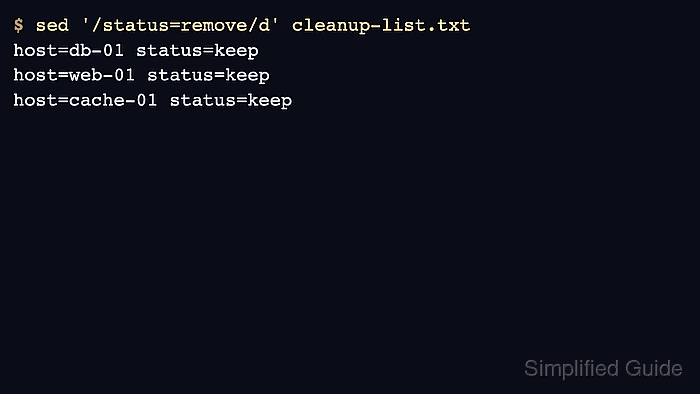
The d command deletes lines selected by a sed address. In sed '/status=remove/d' cleanup-list.txt, the address is the regular expression between the slashes, and only lines matching that expression are removed from the output.
Preview the deletion before editing a file in place. A broad pattern can remove more rows than intended, so the first check should keep the nonmatching rows visible and make the removed line category easy to recognize.
Related: How to remove blank lines with sed
Related: How to exclude matching lines with grep
Steps to delete matching lines with sed:
- Prepare or inspect a file that contains both matching and nonmatching rows.
- cleanup-list.txt
host=db-01 status=keep
host=db-02 status=remove
host=web-01 status=keep
host=web-02 status=remove
host=cache-01 status=keep
Use a copy of an important file while testing the pattern. The examples below remove only rows containing status=remove.
- Preview the deletion by sending the filtered output to the terminal.
$ sed '/status=remove/d' cleanup-list.txt
host=db-01 status=keep
host=web-01 status=keep
host=cache-01 status=keep
sed treats the text between the slashes as a regular expression. Match a literal phrase when possible, or anchor the expression more tightly when a short word could appear in unrelated lines.
- Apply the deletion in place only after the preview shows the intended rows.
$ sed -i.bak '/status=remove/d' cleanup-list.txt
The d command removes every line that matches the address. Keep the .bak backup until the edited file has been reviewed.
The sed -i.bak form creates cleanup-list.txt.bak before saving the edited file, which avoids the GNU/BSD difference around no-backup in-place edits.
- Confirm the edited file still contains the keep rows and no matching remove rows.
$ cat cleanup-list.txt
host=db-01 status=keep
host=web-01 status=keep
host=cache-01 status=keep
The absence of status=remove rows in the final file is the success check. If a needed row disappeared, restore from cleanup-list.txt.bak and narrow the pattern before running sed again.

Mohd Shakir Zakaria is a cloud architect with deep roots in software development and open-source advocacy. Certified in AWS, Red Hat, VMware, ITIL, and Linux, he specializes in designing and managing robust cloud and on-premises infrastructures.


