Log files, exports, and copied status text often mix uppercase and lowercase values even when the label means the same thing. Use grep -i when a search for error also needs to catch ERROR and Error without repeating the pattern.
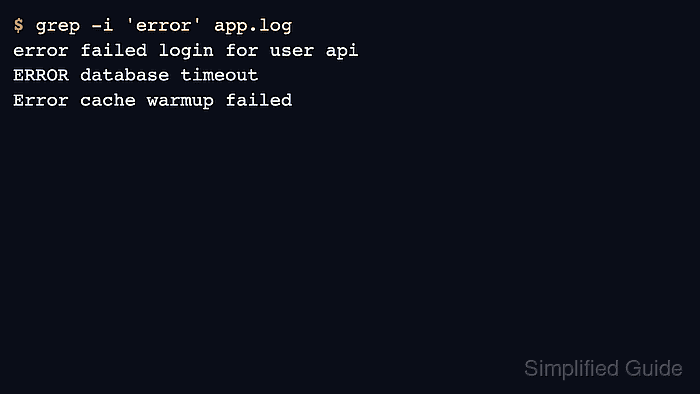
The -i option tells grep to ignore case while matching the pattern. It does not change the text that prints, so the output still shows the original spelling from each matching line.
The sample below uses a small local log file with three differently cased error lines and two unrelated lines. The expected proof is that grep -i 'error' prints only the three error lines, while grep -in adds line numbers without changing the match set.
Related: How to search files recursively with grep
Related: How to print context around grep matches
Related: How to count matches with grep
Steps to search case-insensitively with grep:
- Create a short sample file with mixed-case text.
$ cat > app.log <<'EOF'
INFO service ready
error failed login for user api
WARNING retry scheduled
ERROR database timeout
Error cache warmup failed
EOF
- Search for the lowercase pattern while ignoring case.
$ grep -i 'error' app.log
error failed login for user api
ERROR database timeout
Error cache warmup failed
grep prints the original line text. The uppercase and title-case matches prove that matching ignored letter case, not that the file was rewritten.
- Add line numbers when the matching file needs a direct handoff to an editor, ticket, or review note.
$ grep -in 'error' app.log
2:error failed login for user api
4:ERROR database timeout
5:Error cache warmup failed
- Search a different lowercase pattern to confirm the same option handles uppercase matches.
$ grep -i 'timeout' app.log
ERROR database timeout
- Remove the sample file after testing.
$ rm app.log

Mohd Shakir Zakaria is a cloud architect with deep roots in software development and open-source advocacy. Certified in AWS, Red Hat, VMware, ITIL, and Linux, he specializes in designing and managing robust cloud and on-premises infrastructures.


