Rotated log files often arrive as *.gz archives, and extracting them just to find one error can create extra files or disturb evidence that should stay compressed. Use zgrep when the search needs to read a gzip-compressed log and print matching lines directly to the terminal.
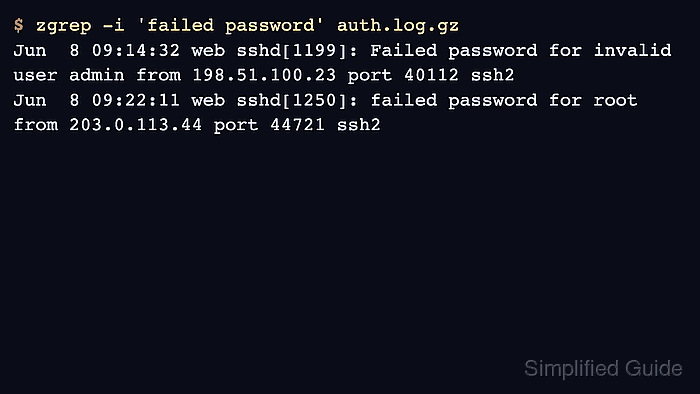
The zgrep command runs grep against compressed input, so familiar pattern matching still applies while gzip handles decompression behind the scenes. Options such as -i can be passed through when the match should ignore case, which is common in logs copied from different services or applications.
The sample below uses a short SSH authentication log compressed into auth.log.gz. The expected proof is that zgrep 'Failed password' prints the matching compressed-log line, zgrep -i 'failed password' catches both case variants, and gzip -l still reports the compressed file after the searches.
Steps to search compressed logs with zgrep:
- Create a small sample authentication log.
$ cat > auth.log <<'EOF'
Jun  8 09:10:01 web sshd[1142]: Accepted publickey for deploy from 192.0.2.15 port 52044 ssh2
Jun  8 09:14:32 web sshd[1199]: Failed password for invalid user admin from 198.51.100.23 port 40112 ssh2
Jun  8 09:17:48 web sudo[1221]: deploy : TTY=pts/0 ; PWD=/srv/app ; USER=root ; COMMAND=/usr/bin/systemctl reload nginx
Jun  8 09:22:11 web sshd[1250]: failed password for root from 203.0.113.44 port 44721 ssh2
EOF
- Compress the sample log while keeping the source file for cleanup.
$ gzip -k auth.log
The -k option keeps auth.log and writes auth.log.gz. Real rotated logs usually already exist as compressed files, so this setup step is only for the local example.
- Search the compressed log for the exact uppercase phrase.
$ zgrep 'Failed password' auth.log.gz
Jun  8 09:14:32 web sshd[1199]: Failed password for invalid user admin from 198.51.100.23 port 40112 ssh2
zgrep prints the matching uncompressed line but does not write an extracted copy of the log.
- Ignore case when the same event can appear with different capitalization.
$ zgrep -i 'failed password' auth.log.gz
Jun  8 09:14:32 web sshd[1199]: Failed password for invalid user admin from 198.51.100.23 port 40112 ssh2
Jun  8 09:22:11 web sshd[1250]: failed password for root from 203.0.113.44 port 44721 ssh2
- Confirm the compressed file still exists and reports its compressed metadata.
$ gzip -l auth.log.gz compressed uncompressed ratio uncompressed_name 290 411 36.0% auth.log - Remove the sample files after testing.
$ rm auth.log auth.log.gz

Mohd Shakir Zakaria is a cloud architect with deep roots in software development and open-source advocacy. Certified in AWS, Red Hat, VMware, ITIL, and Linux, he specializes in designing and managing robust cloud and on-premises infrastructures.


