Quick totals from command output or exported tables can be wrong when the shell adds the wrong field or treats a header as data. awk keeps the calculation tied to one numbered field, so an amount, count, or duration total comes from the column that actually carries the number.
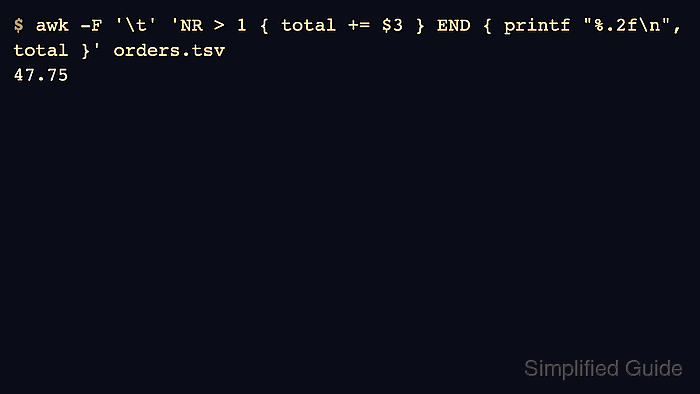
awk reads each input line as a record and splits it into fields. The command below uses -F '\t' to read tab-separated fields, skips the header with NR > 1, adds $3 to a running total, and prints the value from the END block after the file has been read.
The sample uses plain tab-separated text with numeric values in the third field. Change -F and the field number for comma, pipe, or whitespace input, and use a CSV-aware parser when a CSV export can contain quoted commas, embedded quotes, or multiline fields. Printing the row count with the total helps catch a header row or wrong field before the value is copied into a report.
Related: How to calculate an average with awk
Related: How to count rows by field with awk
Steps to sum a column with awk:
- Create a small tab-separated sample file with one header row and one numeric amount column.
- orders.tsv
date	item	amount
2026-06-01	hosting	12.50
2026-06-02	domain	9.25
2026-06-03	backup	26.00
- Add the third field from each data row and print the total from the END block.
$ awk -F '\t' 'NR > 1 { total += $3 } END { printf "%.2f\n", total }' orders.tsv
47.75
NR > 1 skips the header row. $3 selects the third field, and total += $3 adds that field to the running total.
- Confirm the contributing row count with the total when the file came from another command or export.
$ awk -F '\t' 'NR > 1 { total += $3; rows++ } END { printf "total=%.2f rows=%d\n", total, rows }' orders.tsv
total=47.75 rows=3
The rows=3 value confirms that three data rows contributed to the total.
- Change the field separator and field number for the real input format.
$ awk -F, 'NR > 1 { total += $4 } END { printf "%.2f\n", total }' invoices.csvUse -F, for simple comma-separated text, -F'|' for pipe-delimited text, or omit -F when whitespace splitting is the intended behavior.
- Remove the sample file after testing.
$ rm orders.tsv

Mohd Shakir Zakaria is a cloud architect with deep roots in software development and open-source advocacy. Certified in AWS, Red Hat, VMware, ITIL, and Linux, he specializes in designing and managing robust cloud and on-premises infrastructures.


