Status summaries from delimited exports can be wrong when the same word appears in several columns. Counting rows by an awk field keeps the grouping tied to one column, so a value such as paid is counted only when it appears in the status field.
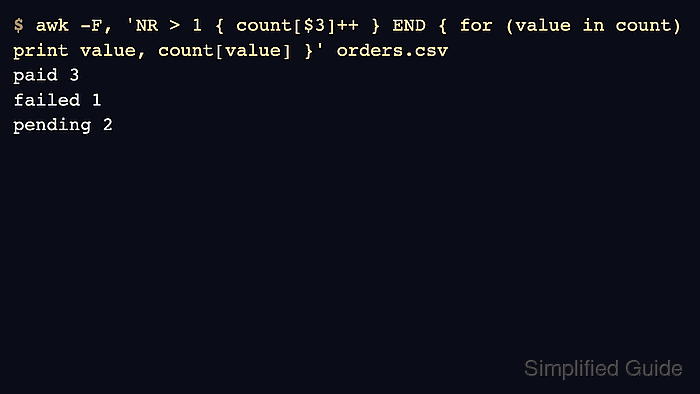
awk stores each distinct field value as an associative-array key. With -F,, it reads comma-separated fields, increments count[$3] for the third field, and prints the totals from the END block after all rows have been read.
The sample uses a header row and simple comma-separated text. awk does not sort associative-array keys, so the output order can vary between implementations; the value-count pairs are the result to check. Use a CSV-aware parser instead when fields can contain quoted commas or embedded newlines.
Related: How to filter rows by a column with awk
Related: How to sum a column with awk
Steps to count rows by field with awk:
- Create a small comma-separated sample file.
- orders.csv
order_id,region,status
1001,us-east,paid
1002,eu-west,pending
1003,us-east,paid
1004,ap-south,failed
1005,eu-west,paid
1006,us-east,pending
- Count rows by the third field.
$ awk -F, 'NR > 1 { count[$3]++ } END { for (value in count) print value, count[value] }' orders.csv
paid 3
failed 1
pending 2
NR > 1 skips the header row. Remove that condition when the input has no header.
- Count a different field by changing the field number.
$ awk -F, 'NR > 1 { count[$2]++ } END { for (value in count) print value, count[value] }' orders.csv
eu-west 2
us-east 3
ap-south 1
$2 counts the region field, while $3 counts the status field.
- Remove the sample file.
$ rm orders.csv

Mohd Shakir Zakaria is a cloud architect with deep roots in software development and open-source advocacy. Certified in AWS, Red Hat, VMware, ITIL, and Linux, he specializes in designing and managing robust cloud and on-premises infrastructures.


