A local configuration file, generated cache, or machine-specific artifact can remain tracked after it should stop appearing in shared commits. Deleting the file from the working tree would break the local environment, so remove only Git's index entry when the file still needs to stay on disk.
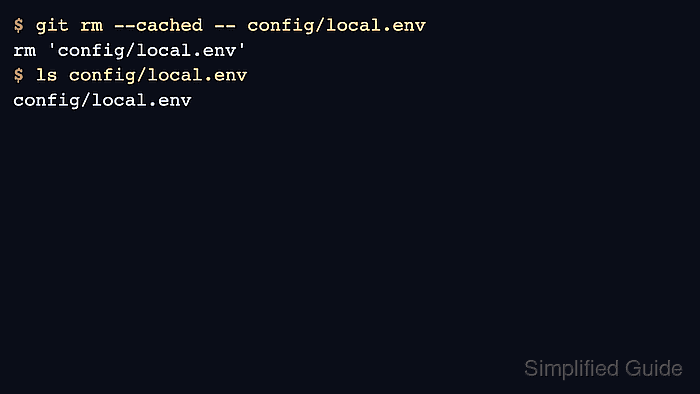
git rm --cached removes the selected path from the index and stages that removal for the next commit. The working-tree copy remains present, but future checkouts stop receiving the file after the staged deletion is committed.
Add or confirm an ignore rule before removing the index entry when the kept file should remain local-only. This does not erase copies from earlier commits, so rotate exposed secrets and use a history-rewrite process when sensitive content has already been pushed.
Related: Ignore files with .gitignore
Related: Remove untracked files with git clean
Related: Unstage changes in Git
Steps to remove a tracked file from Git without deleting it:
- Open a terminal in the repository and confirm Git tracks the target file.
$ git ls-files -- config/local.env
config/local.env
No output means the path is already outside Git's tracked file list. Use .gitignore for untracked local files that should stay hidden from normal status.
- Add an ignore pattern for the local-only file.
config/local.env
Use a narrow pattern for one file, or a directory pattern such as cache/ when the whole generated directory should stay local.
- Stage the ignore rule so the repository records it with the tracking change.
$ git add .gitignore
- Remove the file from the index while keeping the working-tree copy.
$ git rm --cached -- config/local.env
rm 'config/local.env'
Do not omit --cached. A normal git rm -- config/local.env also deletes the file from the working tree.
- Check the staged result before committing.
$ git status --short
A  .gitignore
D  config/local.env
The staged D means the next commit removes config/local.env from Git's tracked snapshot. The file can still remain in the working tree.
- Confirm the local file still exists.
$ ls config/local.env
config/local.env
- Commit the tracking change.
$ git commit -m 'Stop tracking local config file'
[main ae223ff] Stop tracking local config file
 2 files changed, 1 insertion(+), 1 deletion(-)
 create mode 100644 .gitignore
 delete mode 100644 config/local.env
The commit records the ignore rule and the index removal. It does not remove the file from older commits.
- Verify the path is now local and ignored.
$ git status --ignored --short -- config/local.env
!! config/local.env
!! means the file exists in the working tree and matches an ignore rule. A normal git status --short should be clean after the commit.

Mohd Shakir Zakaria is a cloud architect with deep roots in software development and open-source advocacy. Certified in AWS, Red Hat, VMware, ITIL, and Linux, he specializes in designing and managing robust cloud and on-premises infrastructures.


