Generated files, local secrets, and editor artifacts make Git status noisy when they are not meant for commits. A repository .gitignore file keeps matching untracked paths out of normal status and add results, so the shared history stays focused on source files and project configuration.
Git reads ignore patterns from .gitignore files in the working tree, plus repository-local and user-level exclude files. A pattern without a slash can match names below the .gitignore location, a trailing slash limits a rule to directories, and a leading slash anchors the rule to that file's directory.
Use a committed .gitignore for project-generated paths that every clone should ignore. Keep personal editor files in .git/info/exclude or a global exclude file instead, and remember that ignore rules do not hide files that Git already tracks.
Steps to ignore files with .gitignore:
- Check the repository status before adding ignore rules.
$ git status --short
?? .env
?? README.md
?? cache/
?? debug.log
?? src/
Use .gitignore for untracked paths that should stay out of commits, such as generated directories, logs, and local environment files.
- Open or create the repository .gitignore file.
$ vi .gitignore
- Add one ignore pattern per line.
cache/
*.log
.env
cache/ matches directories named cache below this .gitignore file. *.log matches log files below this location, and .env matches local environment files.
- Confirm normal status no longer lists the ignored files.
$ git status --short
?? .gitignore
?? README.md
?? src/
The .gitignore file still appears because it is a new tracked-project file that should usually be committed.
- Show ignored files explicitly when verifying the rules.
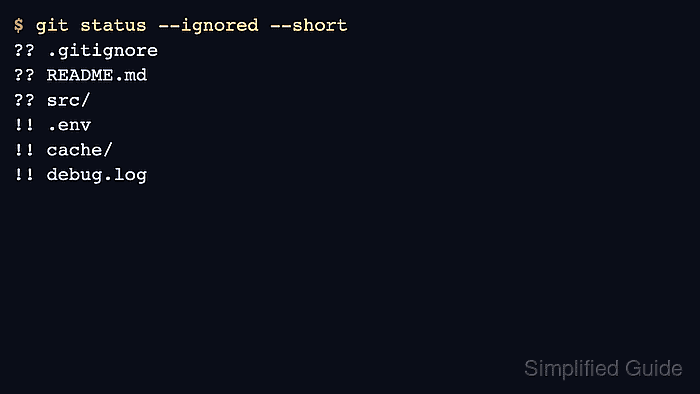
$ git status --ignored --short
?? .gitignore
?? README.md
?? src/
!! .env
!! cache/
!! debug.log
In short status output, ?? marks untracked paths and !! marks ignored paths.
- Trace the matching ignore rule when a path is hidden unexpectedly.
$ git check-ignore -v .env debug.log cache/app.tmp
.gitignore:3:.env	.env
.gitignore:2:*.log	debug.log
.gitignore:1:cache/	cache/app.tmp
git check-ignore -v prints the source file, line number, matched pattern, and checked path.
- Stage the ignore file after reviewing the patterns.
$ git add .gitignore
If Git already tracks a matching file, .gitignore will not hide it. Remove that file from the index with git rm --cached <path> when the local copy should remain on disk.
- Verify that only the ignore file and intended project files remain visible.
$ git status --short
A  .gitignore
?? README.md
?? src/
Commit .gitignore with the project changes that introduce or document the generated paths.

Mohd Shakir Zakaria is a cloud architect with deep roots in software development and open-source advocacy. Certified in AWS, Red Hat, VMware, ITIL, and Linux, he specializes in designing and managing robust cloud and on-premises infrastructures.


