A fresh Gentoo installation should not be used for daily work from the root account. Add a normal local login after the base system boots so shell history, file ownership, and privilege boundaries belong to a named user instead of root.
Gentoo's handbook uses useradd directly for this job. The command writes local account records, creates a home directory with -m, assigns supplementary groups with -G, and sets /bin/bash as the login shell with -s.
The example below creates larry, sets a password, and verifies the local account with getent and id. Keep wheel only for users who should be allowed to elevate with su, sudo, doas, or local policy rules, and add hardware groups such as audio or video only when the account needs that device access.
Related: How to create a user in Linux
Related: How to add a user to a group in Linux
Related: How to change a user password in Linux
Steps to add a user on Gentoo:
- Open a root shell on the Gentoo system.
# whoami
root
Fresh Gentoo systems may not have sudo installed or configured yet, so the handbook flow starts from a root login or another root shell.
- Confirm that the target login name is not already in the local account database.
# getent passwd larry
No output means the local name larry is unused. If this command prints a passwd entry, choose a different login name or review the existing account before continuing.
- Confirm the supplementary groups that the new account should receive.
# getent group users wheel audio
users:x:100:
wheel:x:10:
audio:x:18:
The final member list can differ on an existing host. The important check is that each group name resolves before useradd -G references it.
- Create the user account with a home directory, supplementary groups, and Bash as the login shell.
# useradd -m -G users,wheel,audio -s /bin/bash larry
-m creates /home/larry from /etc/skel, -G users,wheel,audio adds supplementary groups, and -s /bin/bash sets the login shell. Keep the group list comma-separated with no spaces.
Membership in wheel is an administrative trust decision. On Gentoo it is commonly used for root elevation through su, sudo, doas, or desktop authorization policy when those tools are configured.
- Set the new user's password.
# passwd larry
New password:
Retype new password:
passwd: password updated successfully
Password input is hidden while typing, so no characters are normally echoed at the prompts.
- Verify the passwd entry, home directory, and login shell.
# getent passwd larry
larry:x:1000:1000::/home/larry:/bin/bash
The numeric UID and primary GID may differ on a host that already has local users. The fields to verify are the login name, home directory, and shell.
- Verify the final group membership.
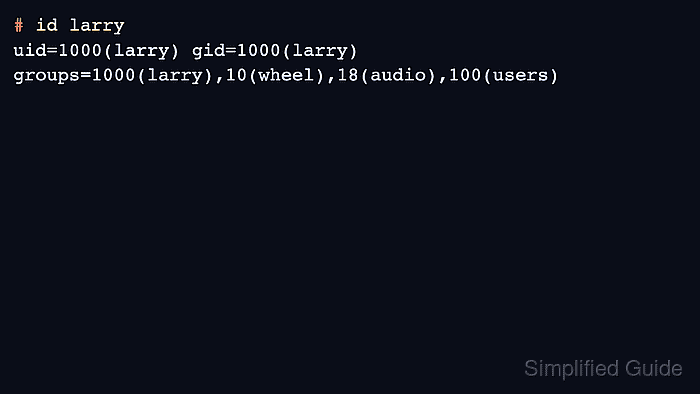
# id larry
uid=1000(larry) gid=1000(larry) groups=1000(larry),10(wheel),18(audio),100(users)
The account is ready for normal login when id shows the expected wheel, audio, and users groups. New group assignments take effect for new login sessions, not for shells that were already open as that user.

Mohd Shakir Zakaria is a cloud architect with deep roots in software development and open-source advocacy. Certified in AWS, Red Hat, VMware, ITIL, and Linux, he specializes in designing and managing robust cloud and on-premises infrastructures.


