A Gentoo system built with genkernel is only ready to reboot when the generated kernel, initramfs, and bootloader menu all describe the same root device and storage stack. A kernel build can finish while the next boot still fails if /boot was not mounted, /usr/src/linux pointed at the wrong sources, or the initramfs did not include support for LUKS, LVM, MD RAID, or ZFS.
Genkernel automates the kernel build and initramfs assembly, but it does not create a hardware-specific kernel configuration from scratch. It starts from a previous configuration or its generic configuration, can open menuconfig for review, and installs the resulting files under /boot when installation is enabled.
Current Gentoo documentation warns that genkernel is unmaintained, so new systems that only need a generic bootable kernel should normally use distribution kernels instead. Keep genkernel for systems already standardized on it, or for cases where its combined kernel and initramfs workflow is still an intentional local choice.
Related: How to enter a Gentoo chroot
Related: How to install GRUB on Gentoo
Related: How to install a package on Gentoo with emerge
Steps to configure a Gentoo kernel with genkernel:
- Work from the installed Gentoo system or from the target installation chroot.
When using live media, enter the installed system first so emerge, eselect, /etc/genkernel.conf, /boot, and /boot/grub refer to the target Gentoo tree.
Related: How to enter a Gentoo chroot
- Refresh the Gentoo repository before installing kernel tools.
# emerge --sync
Related: How to sync the Gentoo repository
- Install genkernel and Gentoo kernel sources.
# emerge --ask sys-kernel/genkernel sys-kernel/gentoo-sources
sys-kernel/genkernel provides the build tool. sys-kernel/gentoo-sources installs patched kernel sources under /usr/src.
- List the installed kernel source trees.
# eselect kernel list
Available kernel symlink targets:
  [1]   linux-7.0.11-gentoo
- Select the source tree for the new genkernel build.
# eselect kernel set 1
Confirm the selected entry before compiling. genkernel uses the /usr/src/linux symlink, so a wrong selection builds and installs files for the wrong kernel source tree.
- Verify the active kernel source symlink.
# eselect kernel show
Current kernel symlink:
  linux-7.0.11-gentoo
- Confirm that /boot is mounted when it is a separate filesystem.
# findmnt /boot
TARGET SOURCE         FSTYPE OPTIONS
/boot  /dev/nvme0n1p2 ext4   rw,relatime
Do not run the install step while a separate /boot partition is unmounted. The kernel and initramfs can be copied into the root filesystem directory instead of the boot filesystem.
- Open the genkernel configuration file.
# vi /etc/genkernel.conf
- Set the build to install files, save the final config, and keep boot symlinks.
# Install the kernel and initramfs into BOOTDIR
INSTALL="yes"

# Mount BOOTDIR automatically if it is listed in /etc/fstab
MOUNTBOOT="yes"

# Save the final kernel configuration in /etc/kernels
SAVE_CONFIG="yes"

# Keep /boot/kernel and /boot/initramfs symlinks current
SYMLINK="yes"

# Fail early when /boot or the kernel build tree is too small
CHECK_FREE_DISK_SPACE_BOOTDIR=50
CHECK_FREE_DISK_SPACE_KERNELOUTPUTDIR=4000
The default BOOTDIR is /boot. Change it only when the local bootloader layout deliberately stores kernel and initramfs files somewhere else.
- Build the kernel and initramfs with menuconfig review.
# genkernel --menuconfig --kernel-append-localversion=-genkernel all
The all action builds the kernel, modules, and initramfs. The local version suffix creates separate filenames and a separate /lib/modules directory for this build. Add only the storage options that match the boot path, such as –luks, –lvm, –mdadm, or –zfs, and keep matching bootloader parameters such as crypt_root, dolvm, or dozfs when the setup requires them.
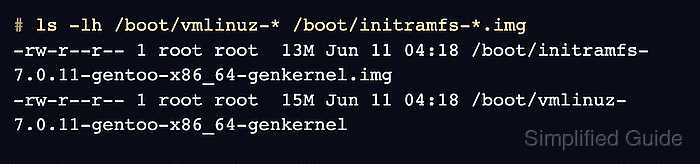
- Verify that genkernel installed the new kernel and initramfs.
# ls -lh /boot/vmlinuz-* /boot/initramfs-*.img
-rw-r--r-- 1 root root  13M Jun 11 04:18 /boot/initramfs-7.0.11-gentoo-x86_64-genkernel.img
-rw-r--r-- 1 root root  15M Jun 11 04:18 /boot/vmlinuz-7.0.11-gentoo-x86_64-genkernel
- Verify that the final kernel configuration was saved.
# ls -lh /etc/kernels/kernel-config-*
-rw-r--r-- 1 root root 258K Jun 11 04:18 /etc/kernels/kernel-config-7.0.11-gentoo-x86_64-genkernel
- Regenerate the GRUB configuration when GRUB is the bootloader.
# grub-mkconfig -o /boot/grub/grub.cfg
Generating grub.cfg ...
Found linux image: /boot/vmlinuz-7.0.11-gentoo-x86_64-genkernel
Found initrd image: /boot/initramfs-7.0.11-gentoo-x86_64-genkernel.img
done
If grub-mkconfig does not find the new kernel and initramfs, stop and fix the /boot mount or file names before rebooting.
Related: How to install GRUB on Gentoo
- Reboot into the new bootloader entry.
# reboot
- Confirm that Gentoo started from the genkernel build.
# uname -r
7.0.11-gentoo-x86_64-genkernel

Mohd Shakir Zakaria is a cloud architect with deep roots in software development and open-source advocacy. Certified in AWS, Red Hat, VMware, ITIL, and Linux, he specializes in designing and managing robust cloud and on-premises infrastructures.


