Gentoo systems that compile large updates can keep the built result as reusable binary packages instead of discarding it after the merge. Portage's buildpkg feature makes normal merges leave package artifacts in the binary package cache, giving the operator a local rollback source and a starting point for serving the same builds to compatible Gentoo systems.
Portage writes generated packages to PKGDIR, which defaults to /var/cache/binpkgs. Binary packages are not generic across unrelated Gentoo installs; they reflect the build host's architecture, profile, ABI, compiler settings, USE flags, and dependency versions, so build them on the target system or in a chroot that mirrors it.
Use app-misc/hello as a small test atom before enabling the same pattern for larger packages. Keep –ask on package merges, and build browsers, desktop stacks, compilers, and toolchain updates only when enough disk space is available in PKGDIR and /var/tmp/portage.
Steps to build Gentoo binary packages:
- Check the binary package output directory that Portage currently uses.
$ portageq envvar PKGDIR
/var/cache/binpkgs
Use the returned path in later checks if the system already sets a custom PKGDIR.
- Back up the current Portage make configuration.
$ sudo cp -a /etc/portage/make.conf /etc/portage/make.conf.before-buildpkg
- Open the Portage make configuration.
$ sudoedit /etc/portage/make.conf
Related: How to edit Gentoo make.conf
- Add buildpkg to the local FEATURES value and keep the package cache path explicit if needed.
- /etc/portage/make.conf
FEATURES="buildpkg"
PKGDIR="/var/cache/binpkgs"
If FEATURES already contains local values, add buildpkg inside that same quoted list instead of replacing the existing words.
- Confirm that Portage reads the buildpkg feature.
$ portageq envvar FEATURES
binpkg-docompress binpkg-dostrip buildpkg config-protect-if-modified
##### snipped #####
- Build a test package through a normal merge.
$ sudo emerge --ask --oneshot app-misc/hello

These are the packages that would be merged, in order:

Calculating dependencies... done!

[ebuild  N     ] app-misc/hello-2.12.3::gentoo

Would you like to merge these packages? [Yes/No] yes
>>> Emerging (1 of 1) app-misc/hello-2.12.3::gentoo
##### snipped #####
>>> Creating binary package: app-misc/hello-2.12.3
>>> Installing (1 of 1) app-misc/hello-2.12.3::gentoo
>>> Jobs: 1 of 1 complete
Use sudo emerge --ask --buildpkg <atom> for a one-time binary package build without changing FEATURES. Use --buildpkgonly only when build-time dependencies for the target atom are already installed.
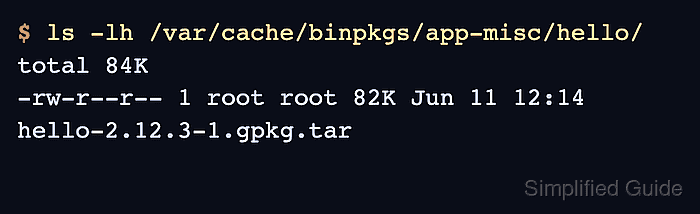
- Verify that Portage created the binary package file under PKGDIR.
$ ls -lh /var/cache/binpkgs/app-misc/hello/
total 84K
-rw-r--r-- 1 root root 82K Jun 11 12:14 hello-2.12.3-1.gpkg.tar
Older Portage installations or custom binary package format settings can produce a different suffix, but the file should still appear under the package category path in PKGDIR.
- Remove the sample package if it was only installed to test binary package creation.
$ sudo emerge --ask --depclean app-misc/hello
Do not run the cleanup step for a package that should stay installed on the system.

Mohd Shakir Zakaria is a cloud architect with deep roots in software development and open-source advocacy. Certified in AWS, Red Hat, VMware, ITIL, and Linux, he specializes in designing and managing robust cloud and on-premises infrastructures.


