Blocking the wrong ICMP type can hide useful diagnostics or break network behavior that depends on control messages. A safe firewalld ICMP block starts with the exact type and the zone that receives the traffic, then proves the block without disabling unrelated ICMP handling.
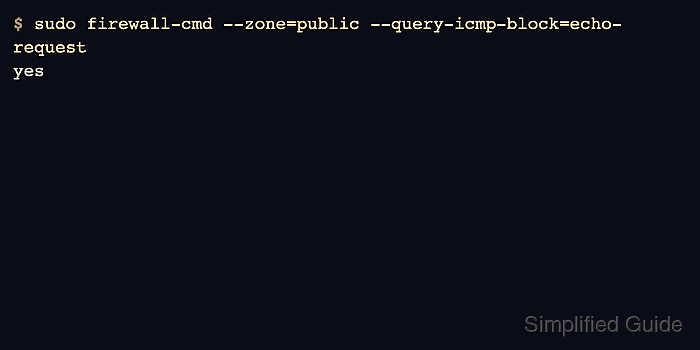
firewalld uses named ICMP types such as echo-request instead of raw protocol numbers. The example blocks inbound ping requests in the public zone while leaving other ICMP types available for path, error, and neighbor-related behavior.
The block can be added temporarily for testing or permanently for saved policy. Permanent blocks do not affect the running firewall until a reload, so check both the saved configuration and the active query before treating the host as changed.
Related: Check active firewalld zones
Related: Troubleshoot blocked firewalld connections
Related: Check firewalld status
Steps to block ICMP with firewalld:
- Confirm that firewalld is running before changing zone policy.
$ sudo firewall-cmd --state
running
- List the ICMP types supported by the host.
$ sudo firewall-cmd --get-icmptypes
address-unreachable bad-header beyond-scope communication-prohibited destination-unreachable echo-reply echo-request fragmentation-needed host-precedence-violation host-prohibited host-redirect host-unknown host-unreachable ip-header-bad neighbour-advertisement neighbour-solicitation network-prohibited network-redirect network-unknown network-unreachable no-route packet-too-big parameter-problem port-unreachable precedence-cutoff protocol-unreachable redirect reject-route required-option-missing router-advertisement router-solicitation source-quench source-route-failed time-exceeded timestamp-reply timestamp-request tos-host-redirect tos-host-unreachable tos-network-redirect tos-network-unreachable ttl-zero-during-reassembly ttl-zero-during-transit unknown-header-type unknown-option
Use the exact type name printed by the host. The example blocks echo-request, which is the usual inbound ping request.
- Identify the zone that receives the client traffic.
$ sudo firewall-cmd --get-active-zones
public (default)
  interfaces: enp1s0
Related: Check active firewalld zones
- Check whether the ICMP type is already blocked in that zone.
$ sudo firewall-cmd --zone=public --query-icmp-block=echo-request
no
- Add the ICMP block to the permanent zone configuration.
$ sudo firewall-cmd --permanent --zone=public --add-icmp-block=echo-request
success
Do not broadly block ICMP types just to make a host quieter. Some ICMP messages are needed for path MTU discovery, IPv6 neighbor discovery, and clear network troubleshooting.
- Validate the permanent firewalld configuration.
$ sudo firewall-cmd --check-config
success
- Reload firewalld so the permanent ICMP block becomes active.
$ sudo firewall-cmd --reload
success
- Query the runtime ICMP block after the reload.
$ sudo firewall-cmd --zone=public --query-icmp-block=echo-request
yes
- List ICMP blocks for a readable final inventory.
$ sudo firewall-cmd --zone=public --list-icmp-blocks
echo-request
- Test ping from a client path that reaches the same zone.
$ ping -c 2 app01.example.net
PING app01.example.net (192.0.2.10) 56(84) bytes of data.

--- app01.example.net ping statistics ---
2 packets transmitted, 0 received, 100% packet loss, time 1024ms
A blocked ping proves only the ICMP echo request path. Test the application port separately when the change is part of a service exposure review.

Mohd Shakir Zakaria is a cloud architect with deep roots in software development and open-source advocacy. Certified in AWS, Red Hat, VMware, ITIL, and Linux, he specializes in designing and managing robust cloud and on-premises infrastructures.


