Correct event timestamps keep searches, alerts, and dashboards ordered by when the event actually happened instead of when Logstash happened to receive it. That matters most during backfills, queue drains, and delayed shipping, where ingestion time can be minutes or hours newer than the real log time.
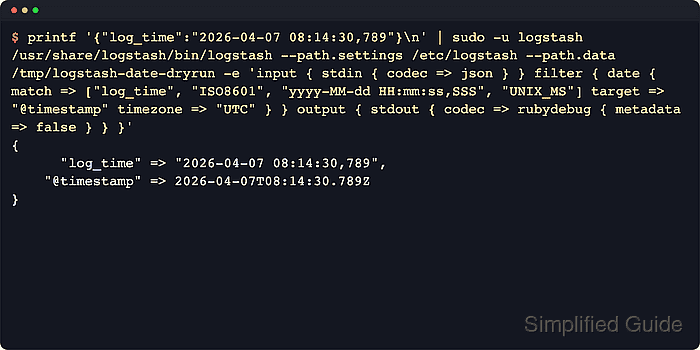
The date filter parses a timestamp field and, by default, writes the result into @timestamp. The match array starts with the field name and then one or more formats such as ISO8601, UNIX, UNIX_MS, or custom patterns like yyyy-MM-dd HH:mm:ss,SSS. Current releases store millisecond precision by default, and precision => "ns" is only needed when the source value actually carries nanoseconds.
The timestamp field must already exist before the date filter runs, so parsing with grok, dissect, or JSON decoding usually happens earlier in the pipeline. When the source value has no offset, timezone falls back to the platform default unless it is set explicitly, and month or weekday names may require locale. On Debian and RPM installs, pipeline files normally live under /etc/logstash/conf.d and the service runs under systemd, so parse failures should be watched during rollout because @timestamp stays unchanged when matching fails.
Steps to use the Logstash date filter:
- Dry-run the date pattern and any UNIX or UNIX_MS unit assumptions against a sample event before editing the live pipeline.
$ printf '{"log_time":"2026-04-07 08:14:30,789"}\n' | sudo -u logstash /usr/share/logstash/bin/logstash \
  --path.settings /etc/logstash \
  --path.data /tmp/logstash-date-dryrun \
  -e 'input { stdin { codec => json } }
filter {
  date {
    id => "date_log_time"
    match => ["log_time", "ISO8601", "yyyy-MM-dd HH:mm:ss,SSS", "UNIX_MS"]
    target => "@timestamp"
    timezone => "UTC"
    tag_on_failure => ["_dateparsefailure_log_time"]
  }
}
output { stdout { codec => rubydebug { metadata => false } } }'
{
      "log_time" => "2026-04-07 08:14:30,789",
    "@timestamp" => 2026-04-07T08:14:30.789Z
}
Replace the sample value and formats with the real source field; nested fields use syntax like [event][created], and locale is needed when the timestamp contains month or weekday names.
Tool: Epoch Time Converter - Add the validated date block to the relevant pipeline file under /etc/logstash/conf.d.
filter {
  if [log_time] {
    date {
      id => "date_log_time"
      match => ["log_time", "ISO8601", "yyyy-MM-dd HH:mm:ss,SSS", "UNIX_MS"]
      target => "@timestamp"
      timezone => "UTC"
      tag_on_failure => ["_dateparsefailure_log_time"]
    }
  }
}
Omit timezone when the source value already includes an offset, and add precision => "ns" only when the source timestamp includes nanoseconds and the destination can store them.
- Test the updated pipeline configuration with the packaged settings directory.
$ sudo -u logstash /usr/share/logstash/bin/logstash --path.settings /etc/logstash --path.data /tmp/logstash-configtest --config.test_and_exit
Using bundled JDK: /usr/share/logstash/jdk
Sending Logstash logs to /var/log/logstash which is now configured via log4j2.properties
##### snipped #####
Configuration OK
[2026-04-07T08:25:32,961][INFO ][logstash.runner          ] Using config.test_and_exit mode. Config Validation Result: OK. Exiting Logstash
Current releases block superuser runs unless allow_superuser is enabled, so run the test as the logstash service account instead of plain root.
- Restart the Logstash service to load the updated pipeline.
$ sudo systemctl restart logstash.service
Restarting Logstash briefly pauses active pipelines while inputs reopen and outputs reconnect.
- Fetch a recent event from the destination index or data stream and compare the original field with @timestamp.
$ curl -sS "http://elasticsearch.example.net:9200/app-logs-*/_search?size=1&sort=@timestamp:desc&filter_path=hits.hits._source.log_time,hits.hits._source.@timestamp,hits.hits._source.tags&pretty"
{
  "hits" : {
    "hits" : [
      {
        "_source" : {
          "log_time" : "2026-04-07 08:14:30,789",
          "@timestamp" : "2026-04-07T08:14:30.789Z"
        }
      }
    ]
  }
}
Replace app-logs-* with the actual index or data stream pattern for the pipeline output; when timezone is set, the stored @timestamp is normalized to UTC.
- Search the destination index or data stream for date-parse failure tags after the rollout.
$ curl -sS "http://elasticsearch.example.net:9200/app-logs-*/_search?q=tags:_dateparsefailure_log_time&size=0&filter_path=hits.total&pretty"
{
  "hits" : {
    "total" : {
      "value" : 0,
      "relation" : "eq"
    }
  }
}
A non-zero count means the match list, timezone, or source field extraction is still wrong for at least some events.
- Review the date filter metrics in the monitoring API to confirm events are passing through the plugin.
$ curl -sS "http://localhost:9600/_node/stats/pipelines/main?filter_path=pipelines.main.plugins.filters.id,pipelines.main.plugins.filters.name,pipelines.main.plugins.filters.events&pretty"
{
  "pipelines" : {
    "main" : {
      "plugins" : {
        "filters" : [ {
          "id" : "date_log_time",
          "name" : "date",
          "events" : {
            "in" : 12844,
            "out" : 12844,
            "duration_in_millis" : 214
          }
        } ]
      }
    }
  }
}
Replace main with the real pipeline ID when needed, and secure the monitoring API if it is reachable beyond localhost.

Mohd Shakir Zakaria is a cloud architect with deep roots in software development and open-source advocacy. Certified in AWS, Red Hat, VMware, ITIL, and Linux, he specializes in designing and managing robust cloud and on-premises infrastructures.


