Adding a secret to the Filebeat keystore lets Filebeat read a password, API key, or token without storing the plain value in /etc/filebeat/filebeat.yml. Output credentials stay out of backups, support snippets, and configuration repositories while the running service still receives the value.
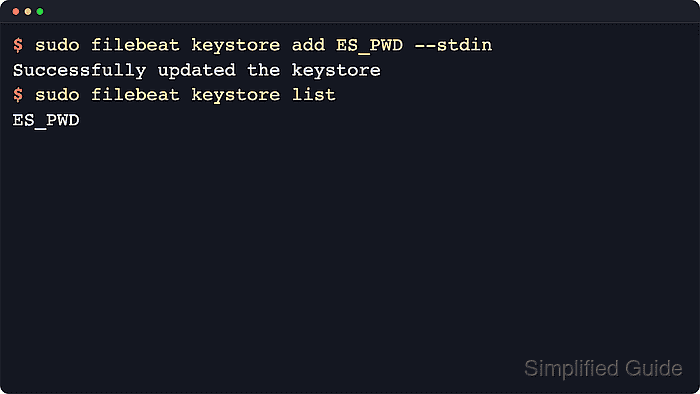
The keystore stores values in the path.data directory, and configuration files reference each value with ${KEY} syntax. Filebeat resolves keystore keys before environment variables, so a key such as ES_PWD can be used directly in output.elasticsearch.password.
Use the same operating-system user and the same data path that the service uses. DEB and RPM services normally use /var/lib/filebeat for path.data, while archive or custom service installs can use another location. Restart Filebeat after changing a key so the running process opens the updated keystore.
Steps to add a secret to a Filebeat keystore:
- Add the secret value to the Filebeat keystore.
$ sudo filebeat keystore add ES_PWD --path.data /var/lib/filebeat
Enter value for ES_PWD:
Successfully updated the keystore
Run this command as the same user that starts Filebeat. Replace /var/lib/filebeat when the service uses a different path.data directory, and append --force only when replacing an existing key.
- List the keystore keys to confirm the entry exists.
$ sudo filebeat keystore list --path.data /var/lib/filebeat
ES_PWD
filebeat keystore list prints key names only. It does not print the stored secret value.
- Reference the keystore key in the Filebeat output configuration.
output.elasticsearch:
  hosts: ["https://es.example.net:9200"]
  username: "filebeat_writer"
  password: "${ES_PWD}"
The placeholder must match the keystore key exactly, including case. Keeping "${ES_PWD}" quoted avoids YAML parsing surprises around special characters.
- Test the Filebeat configuration after replacing the plain-text secret.
$ sudo filebeat test config -c /etc/filebeat/filebeat.yml --path.data /var/lib/filebeat
Config OK
Related: How to test a Filebeat configuration
- Restart the Filebeat service so the running process reloads the updated keystore.
$ sudo systemctl restart filebeat
Restarting Filebeat briefly pauses log shipping until the service is back in an active (running) state.
- Test the configured output when the key supplies an Elasticsearch credential.
$ sudo filebeat test output -c /etc/filebeat/filebeat.yml --path.data /var/lib/filebeat
elasticsearch: https://es.example.net:9200...
  parse url... OK
  connection...
    parse host... OK
    dns lookup... OK
    addresses: 203.0.113.25
    dial up... OK
  TLS...
    security: server's certificate chain verification is enabled
    handshake... OK
    TLS version: TLSv1.3
  talk to server... OK
This check uses the active output settings, so authentication or TLS failures usually mean the key value, user privileges, endpoint URL, or CA settings still need correction.

Mohd Shakir Zakaria is a cloud architect with deep roots in software development and open-source advocacy. Certified in AWS, Red Hat, VMware, ITIL, and Linux, he specializes in designing and managing robust cloud and on-premises infrastructures.


