An Elasticsearch snapshot lifecycle policy schedules recurring snapshots from an already registered repository. It gives operators a recovery point before upgrades, index cleanup, migrations, or other work where a missed manual snapshot could make recovery slower.
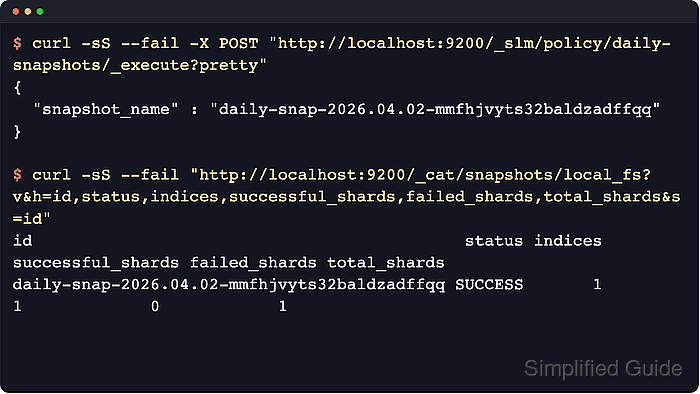
Snapshot lifecycle management (SLM) stores the policy in cluster state and uses it to create snapshots on a schedule. The policy names the repository, snapshot name pattern, index or data stream scope, and retention limits, while a manual execute request can test the same policy before waiting for the next scheduled run.
The snapshot repository must already be registered and writable by the cluster, and SLM must be running before scheduled snapshots fire. Retention cleanup runs as a separate cluster-level task controlled by slm.retention_schedule, so expired snapshots can remain until that task runs. On secured clusters, use the same API calls with HTTPS, authentication, and the cluster CA trusted by curl.
Steps to create an Elasticsearch snapshot lifecycle policy:
- Confirm the target snapshot repository is registered.
$ curl -sS --fail "http://localhost:9200/_snapshot/local_fs?filter_path=*.type,*.settings.location&pretty"
{
  "local_fs" : {
    "type" : "fs",
    "settings" : {
      "location" : "/usr/share/elasticsearch/snapshots"
    }
  }
}
The policy can write only to a registered repository. If local_fs is missing or points to the wrong location, create or fix the repository before continuing.
Related: How to create and manage Elasticsearch snapshots - Check that SLM is running before assigning a schedule.
$ curl -sS --fail "http://localhost:9200/_slm/status?pretty"
{
  "operation_mode" : "RUNNING"
}
If operation_mode returns STOPPED, start SLM with POST /_slm/start and repeat the status check.
- Create the snapshot lifecycle policy.
$ curl -sS --fail -H "Content-Type: application/json" -X PUT "http://localhost:9200/_slm/policy/daily-snapshots?pretty" -d '{
  "schedule": "0 30 1 * * ?",
  "name": "<daily-snap-{now/d}>",
  "repository": "local_fs",
  "config": {
    "indices": ["logs-*"],
    "ignore_unavailable": false,
    "include_global_state": false
  },
  "retention": {
    "expire_after": "30d",
    "min_count": 7,
    "max_count": 90
  }
}'
{
  "acknowledged" : true
}
schedule accepts Quartz cron syntax or interval values such as 1h. The snapshot name supports date math, and Elasticsearch appends a unique suffix so each run has a distinct snapshot name.
- Run the policy once to create a test snapshot immediately.
$ curl -sS --fail -X PUT "http://localhost:9200/_slm/policy/daily-snapshots/_execute?pretty"
{
  "snapshot_name" : "daily-snap-2026.06.18-9tgqxom6qgu7jclarrvbpq"
}
A manual execute request starts a snapshot in the background and does not change the configured schedule.
- Check the repository until the new snapshot reaches SUCCESS.
$ curl -sS --fail "http://localhost:9200/_cat/snapshots/local_fs?v&h=id,status,indices&s=id"
id                                            status indices
daily-snap-2026.06.18-9tgqxom6qgu7jclarrvbpq SUCCESS       1
If the snapshot still shows IN_PROGRESS or STARTED, wait a few seconds and run the same check again.
- Inspect the policy metadata for the last successful run and the next scheduled execution.
$ curl -sS --fail "http://localhost:9200/_slm/policy/daily-snapshots?human&filter_path=*.policy.schedule,*.policy.repository,*.last_success.snapshot_name,*.last_success.time_string,*.next_execution,*.stats.snapshots_taken,*.stats.snapshots_failed&pretty"
{
  "daily-snapshots" : {
    "policy" : {
      "schedule" : "0 30 1 * * ?",
      "repository" : "local_fs"
    },
    "last_success" : {
      "snapshot_name" : "daily-snap-2026.06.18-9tgqxom6qgu7jclarrvbpq",
      "time_string" : "2026-06-18T05:21:39.414Z"
    },
    "next_execution" : "2026-06-19T01:30:00.000Z",
    "stats" : {
      "snapshots_taken" : 1,
      "snapshots_failed" : 0
    }
  }
}
snapshots_taken includes manual execute runs, while next_execution stays aligned with the configured schedule. Retention limits apply only to snapshots created by this policy.

Mohd Shakir Zakaria is a cloud architect with deep roots in software development and open-source advocacy. Certified in AWS, Red Hat, VMware, ITIL, and Linux, he specializes in designing and managing robust cloud and on-premises infrastructures.


