An explicit Elasticsearch cluster name gives a self-managed cluster a recognizable identity and keeps nodes from joining a different environment by mistake. Distinct names are especially important when development, staging, and production clusters share monitoring, automation, or adjacent networks.
Elasticsearch loads cluster.name as a static node setting from /etc/elasticsearch/elasticsearch.yml on package-managed Linux nodes. Every node that belongs to the same cluster must use the same value, and nodes reject each other during discovery when their cluster names differ.
Changing cluster.name on an existing cluster requires a full cluster restart because every node must leave and return with the same static value. Keep the existing data paths and cluster UUID in place, do not add cluster.initial_master_nodes for the restart, and schedule downtime for client traffic and indexing.
Steps to set the Elasticsearch cluster name:
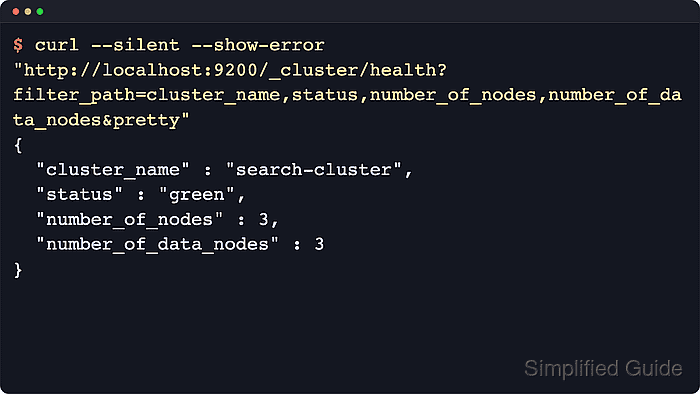
- Confirm the current cluster health and node count before the restart window.
$ curl --silent --show-error --fail "http://localhost:9200/_cluster/health?filter_path=cluster_name,status,number_of_nodes,number_of_data_nodes&pretty"
{
  "cluster_name" : "search-cluster",
  "status" : "green",
  "number_of_nodes" : 3,
  "number_of_data_nodes" : 3
}
Resolve a non-green cluster before changing static settings, otherwise the restart can hide pre-existing shard or node problems.
Secured clusters usually require the normal authenticated https://host:9200 endpoint for every API call.
- Restrict shard allocation to primaries before shutting down the cluster.
$ curl --silent --show-error --fail --request PUT "http://localhost:9200/_cluster/settings?pretty" --header "Content-Type: application/json" --data '{"persistent":{"cluster.routing.allocation.enable":"primaries"}}'
{
  "acknowledged" : true,
  "persistent" : {
    "cluster" : {
      "routing" : {
        "allocation" : {
          "enable" : "primaries"
        }
      }
    }
  },
  "transient" : { }
}
This reduces unnecessary replica movement while every node is intentionally offline for the full-cluster restart.
- Pause non-essential indexing and scheduled write jobs.
If the cluster runs machine learning datafeeds, ingest schedulers, or batch writers, pause them before the shutdown and resume them only after the renamed cluster is healthy.
- Flush the cluster before stopping nodes.
$ curl --silent --show-error --fail --request POST "http://localhost:9200/_flush?pretty"
{
  "_shards" : {
    "total" : 9,
    "successful" : 9,
    "failed" : 0
  }
}
A flush can shorten shard recovery after the cluster comes back.
- Create a backup copy of /etc/elasticsearch/elasticsearch.yml on every node.
$ sudo cp -a /etc/elasticsearch/elasticsearch.yml /etc/elasticsearch/elasticsearch.yml.bak
- Open /etc/elasticsearch/elasticsearch.yml on every node.
$ sudoedit /etc/elasticsearch/elasticsearch.yml
- Set the same cluster.name value on every node.
cluster.name: search-prod
Every node that belongs to the cluster must use the same cluster.name value.
Do not reuse a name from another environment, or nodes may join the wrong cluster.
- Stop the Elasticsearch service on every node.
$ sudo systemctl stop elasticsearch.service
The cluster is unavailable until enough nodes are started again and a master is elected.
- Start the dedicated master-eligible nodes first when the cluster uses split roles.
$ sudo systemctl start elasticsearch.service
Do not add cluster.initial_master_nodes during a full restart of an existing cluster. That bootstrap setting is only for the first cluster formation.
- Start the remaining Elasticsearch nodes.
$ sudo systemctl start elasticsearch.service
On mixed-role clusters, bring data, ingest, and coordinating nodes back only after the new cluster.name is saved on every participating node.
- Wait for the cluster to reform with the new name and node count.
$ curl --silent --show-error --fail "http://localhost:9200/_cluster/health?wait_for_nodes=>=3&wait_for_status=yellow&timeout=120s&filter_path=cluster_name,status,timed_out,number_of_nodes,number_of_data_nodes&pretty"
{
  "cluster_name" : "search-prod",
  "status" : "yellow",
  "timed_out" : false,
  "number_of_nodes" : 3,
  "number_of_data_nodes" : 3
}
Yellow can be expected here because replica allocation is still limited to primaries.
If timed_out is true or the node count is low, check discovery reachability and confirm every node was updated with the same cluster.name.
- Clear the temporary shard allocation override after all nodes rejoin.
$ curl --silent --show-error --fail --request PUT "http://localhost:9200/_cluster/settings?pretty" --header "Content-Type: application/json" --data '{"persistent":{"cluster.routing.allocation.enable":null}}'
{
  "acknowledged" : true,
  "persistent" : { },
  "transient" : { }
}
Removing the override returns allocation behavior to the default setting.
- Verify the cluster reports the new name after allocation recovers.
$ curl --silent --show-error --fail "http://localhost:9200/_cluster/health?filter_path=cluster_name,status,number_of_nodes,number_of_data_nodes&pretty"
{
  "cluster_name" : "search-prod",
  "status" : "green",
  "number_of_nodes" : 3,
  "number_of_data_nodes" : 3
}
Clusters with security disabled can use plain HTTP without authentication.
- List the nodes to confirm the expected members rejoined the renamed cluster.
$ curl --silent --show-error --fail "http://localhost:9200/_cat/nodes?v&s=name&h=ip,node.role,master,name"
ip         node.role   master name
192.0.2.40 cdfhilmrstw -      es-master-a
192.0.2.41 cdfhilmrstw *      es-master-b
192.0.2.42 cdfhilmrstw -      es-master-c
The master column must show one * and the rest - once the cluster stabilizes.
- Resume indexing and any jobs paused for the restart.
Resume traffic only after the cluster health, node list, and application checks point at the renamed cluster.

Mohd Shakir Zakaria is a cloud architect with deep roots in software development and open-source advocacy. Certified in AWS, Red Hat, VMware, ITIL, and Linux, he specializes in designing and managing robust cloud and on-premises infrastructures.


