A Dockerfile turns application files into a repeatable image build. The file should state the base image, working directory, copied files, runtime command, and any health or user settings clearly enough that another operator can rebuild the same image.
Docker reads instructions in order, and the first build stage must begin with FROM after optional parser directives or global ARG lines. A small .dockerignore file keeps local caches, secrets, and build output from entering the build context.
The first Dockerfile should stay narrow. Add package installs, build stages, and hardening only when they support the application image being built, then verify the file by building and running the image.
Related: How to build a Docker image
Tool: Dockerfile Generator
Tool: Dockerfile Security Basics Checker
Steps to create a Dockerfile:
- Create the application entrypoint script.
- /srv/app/app.sh
#!/bin/sh
if [ "${1:-}" = "health" ]; then
  echo ok
  exit 0
fi
echo hello from app
- Create the Dockerfile beside the application files.
- /srv/app/Dockerfile
FROM ubuntu:26.04
WORKDIR /app
COPY app.sh /usr/local/bin/app
RUN chmod +x /usr/local/bin/app
HEALTHCHECK --interval=30s --timeout=3s CMD app health
CMD ["app"]
- Exclude files that should not enter the build context.
.git
tmp
*.log
.env
secrets/
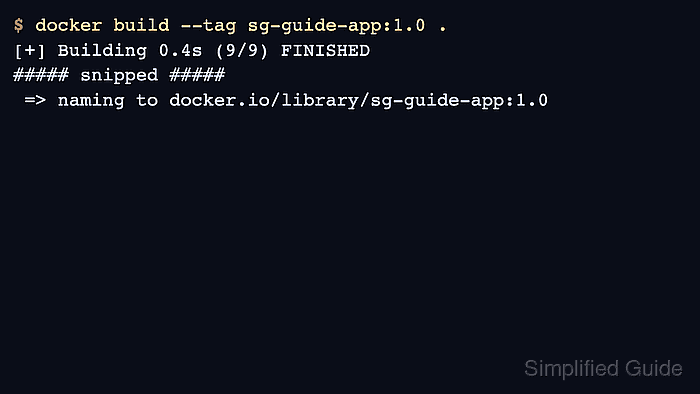
- Build the image to validate the file.
$ docker build --tag registry.example.com/team/app:1.0 /srv/app
[+] Building 0.4s (9/9) FINISHED
##### snipped #####
 => naming to registry.example.com/team/app:1.0
Related: How to build a Docker image
- Run the image once to confirm the default command.
$ docker run --rm registry.example.com/team/app:1.0
hello from app
- Inspect the healthcheck that was baked into the image.
$ docker image inspect registry.example.com/team/app:1.0
[
  {
    "Config": {
      "Healthcheck": {
        "Test": [
          "CMD-SHELL",
          "app health"
        ]
      }
    }
  }
]

Mohd Shakir Zakaria is a cloud architect with deep roots in software development and open-source advocacy. Certified in AWS, Red Hat, VMware, ITIL, and Linux, he specializes in designing and managing robust cloud and on-premises infrastructures.


