DNS checks can wait longer than an incident note, monitoring probe, or shell script should tolerate when a resolver is slow, filtered, or offline. dig lets each lookup set its own timeout and attempt count so the same DNS question can fail quickly or retry enough times to survive light packet loss.
The +timeout option sets how many seconds dig waits for each query attempt, while +tries sets the total number of attempts. Current BIND dig help shows a five-second timeout and three UDP attempts by default, so a silently dropped query can otherwise pause longer than expected.
Short timeouts fit probes, triage commands, and scripts that need a fast answer from one chosen resolver. Extra tries fit noisy links or temporary resolver restarts, but a timeout still means the queried server did not answer within the selected window, not that the DNS record is absent.
Related: How to query DNS records with dig
Related: How to query a specific DNS server with dig
Related: How to query DNS over TCP with dig
Steps to set dig timeout and retry behavior:
- Inspect the installed dig defaults for query timing.
$ dig -h
##### snipped #####
                 +retry=###          (Set number of UDP retries) [2]
##### snipped #####
                 +timeout=###        (Set query timeout) [5]
##### snipped #####
                 +tries=###          (Set number of UDP attempts) [3]
##### snipped #####
+tries counts the initial query attempt. +retry counts retries after the initial UDP query, so it is not the same counter.
- Query a known name with one attempt and a two-second timeout.
$ dig +short example.com A +timeout=2 +tries=1
104.20.23.154
172.66.147.243
+short keeps the success case compact; full output also includes the DNS status, server line, and timing statistics.
- Test the one-attempt failure path against a server address that does not answer.
$ dig @192.0.2.1 example.com A +timeout=1 +tries=1
;; communications error to 192.0.2.1#53: timed out

; <<>> DiG 9.20.18-1ubuntu2.1-Ubuntu <<>> @192.0.2.1 example.com A +timeout=1 +tries=1
; (1 server found)
;; global options: +cmd
;; no servers could be reached
192.0.2.1 is reserved for documentation; the real target is the resolver or authoritative server being checked for slow, filtered, or offline behavior.
- Repeat the no-answer query with two total attempts to confirm that a second timeout occurs.
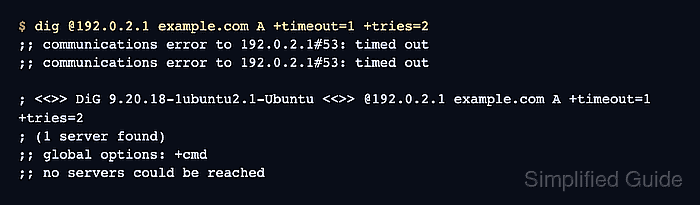
$ dig @192.0.2.1 example.com A +timeout=1 +tries=2
;; communications error to 192.0.2.1#53: timed out
;; communications error to 192.0.2.1#53: timed out

; <<>> DiG 9.20.18-1ubuntu2.1-Ubuntu <<>> @192.0.2.1 example.com A +timeout=1 +tries=2
; (1 server found)
;; global options: +cmd
;; no servers could be reached
+tries=2 sends two attempts total. With +timeout=1, silently dropped packets can wait about two seconds before the final failure.

Mohd Shakir Zakaria is a cloud architect with deep roots in software development and open-source advocacy. Certified in AWS, Red Hat, VMware, ITIL, and Linux, he specializes in designing and managing robust cloud and on-premises infrastructures.


