Resolver caches and policy can make the same DNS name return different answers from different servers. The dig @server argument directs one lookup to the named DNS server and identifies the responding endpoint in the output.
An IP address is the least ambiguous server value because dig can contact it directly. A hostname is also accepted, but dig must resolve that hostname before sending the requested lookup.
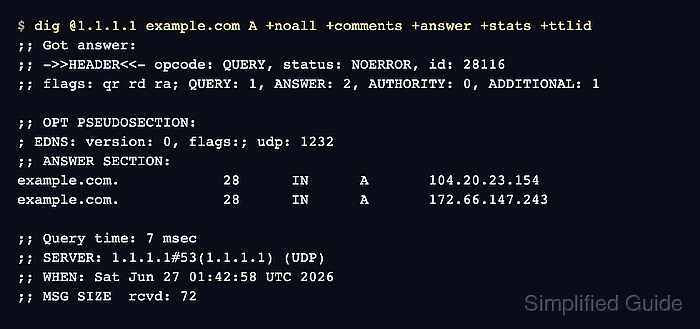
The selected server can return an answer, a negative response, or an error based on its own cache and DNS path. The SERVER line proves which endpoint replied, while the DNS status and answer section show what that server returned for the requested name and record type.
Steps to query a specific DNS server with dig:
- Query the selected DNS server for the requested record.
$ dig @1.1.1.1 example.com A +noall +comments +answer +stats
;; Got answer:
;; ->>HEADER<<- opcode: QUERY, status: NOERROR, id: 4602
;; flags: qr rd ra; QUERY: 1, ANSWER: 2, AUTHORITY: 0, ADDITIONAL: 1

;; OPT PSEUDOSECTION:
; EDNS: version: 0, flags:; udp: 1232
;; ANSWER SECTION:
example.com.        275     IN      A       172.66.147.243
example.com.        275     IN      A       104.20.23.154

;; Query time: 6 msec
;; SERVER: 1.1.1.1#53(1.1.1.1) (UDP)
;; WHEN: Sun Jul 12 21:42:08 UTC 2026
;; MSG SIZE  rcvd: 72
+noall clears the default display sections. +comments, +answer, and +stats restore the response header, answer rows, query time, and responding server details needed for this check.
- Confirm that the SERVER line names 1.1.1.1#53 as the responding endpoint.
A different address means the command did not query the intended endpoint; recheck the value immediately after the @ character.
- Verify that the answer section contains the requested A records from the selected server.
NOERROR with answer rows means the selected server returned data for the question. NOERROR without answer rows, NXDOMAIN, SERVFAIL, and REFUSED describe different results and should not be treated as equivalent success.

Mohd Shakir Zakaria is a cloud architect with deep roots in software development and open-source advocacy. Certified in AWS, Red Hat, VMware, ITIL, and Linux, he specializes in designing and managing robust cloud and on-premises infrastructures.


