A Debian sudo user is a normal login account that can run administrative commands without sharing the root password. Create a separate account when a person, automation owner, or handoff needs traceable root-level access on a server.
Debian's packaged sudo policy grants full administrative access to members of the local sudo group. The adduser helper creates the login account, and adding that account to the sudo group makes the default policy apply when the user starts a new login session.
Run the commands from a root shell or from an account that already has sudo access. Keep the default Debian sudoers policy for this job, set a password for the new login, and verify both the group entry and a harmless sudo command before the account is handed off.
Related: How to create a user in Linux
Related: How to add a user to a group in Linux
Related: How to enable passwordless sudo in Linux
Steps to add a sudo user on Debian:
- Refresh the package index if this is a minimal or newly provisioned Debian system.
# apt update
Hit:1 http://deb.debian.org/debian stable InRelease
Hit:2 http://deb.debian.org/debian stable-updates InRelease
Hit:3 http://deb.debian.org/debian-security stable-security InRelease
Reading package lists... Done
If the system already has current package metadata, continue to the install step.
- Install sudo and adduser if either helper is missing.
# apt install sudo adduser
Reading package lists... Done
Building dependency tree... Done
Reading state information... Done
The following NEW packages will be installed:
  adduser sudo
##### snipped #####
Do you want to continue? [Y/n] Y
##### snipped #####
Setting up adduser ...
Setting up sudo ...
Full Debian installations usually include adduser. Minimal containers and stripped-down images may not, and the sudo package must be installed before the sudo group grants administrative commands.
- Create the new login account.
# adduser deployer
New password:
Retype new password:
passwd: password updated successfully
Changing the user information for deployer
Enter the new value, or press ENTER for the default
Full Name []: Deployer User
Room Number []:
Work Phone []:
Home Phone []:
Other []:
Is the information correct? [Y/n] Y
Replace deployer with the account name for the administrator. Use a unique named account instead of sharing one generic administrative login.
- Add the new account to the Debian sudo group.
# adduser deployer sudo
This uses Debian's adduser group-membership mode instead of editing /etc/sudoers directly. Use visudo only when the account needs a custom rule instead of the packaged sudo group policy.
- Confirm that the account exists and now belongs to the sudo group.
# id deployer
uid=1000(deployer) gid=1000(deployer) groups=1000(deployer),27(sudo),100(users)
The sudo group in this output is the local group that the packaged Debian sudoers policy checks. Existing sessions for an already logged-in user must log out and back in before new group membership is visible.
- Start a fresh login session as the new account, or ask the user to sign in normally.
# su - deployer
deployer@debian-host:~$
A fresh login session avoids testing an old process that started before the group membership changed.
- List the sudo privileges visible to the new user.
$ sudo -l
[sudo] password for deployer:
Matching Defaults entries for deployer on debian-host:
    env_reset, mail_badpass,
    secure_path=/usr/local/sbin\:/usr/local/bin\:/usr/sbin\:/usr/bin\:/sbin\:/bin,
    use_pty

User deployer may run the following commands on debian-host:
    (ALL : ALL) ALL
The (ALL : ALL) ALL line confirms that the default Debian rule allows the account to run administrative commands through sudo.
- Run a harmless command through sudo to confirm the account can execute as root.
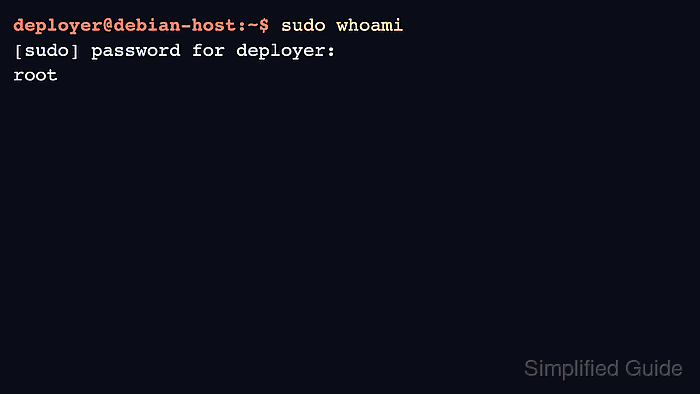
$ sudo whoami
root
root confirms that sudo accepted the user's password and ran the command with root privileges.

Mohd Shakir Zakaria is a cloud architect with deep roots in software development and open-source advocacy. Certified in AWS, Red Hat, VMware, ITIL, and Linux, he specializes in designing and managing robust cloud and on-premises infrastructures.


