Adding an APT repository changes where Debian can install and update packages from, so the trust boundary matters as much as the package name. Use a dedicated signing keyring and a separate source file so the new repository can be audited, disabled, or removed without weakening the rest of the system.
Current Debian systems support deb822 source files under /etc/apt/sources.list.d/. A deb822 file keeps the repository URI, suite, component, architecture, and Signed-By keyring together, which is clearer than adding a one-line entry with a globally trusted key.
Docker's Debian repository is a representative third-party repository for a Debian 13 trixie host because it uses a vendor keyring, a dedicated source file, and a package candidate that APT can verify afterward. Use the vendor URL, suite, component, architecture, and keyring path for the repository being added, and prefer a release codename such as trixie over moving aliases such as stable when the vendor publishes codename-specific packages.
Steps to add an APT repository on Debian:
- Confirm the Debian codename and system architecture.
$ . /etc/os-release
$ echo "$VERSION_CODENAME"
trixie
$ dpkg --print-architecture
arm64
Use the codename and architecture supported by the repository vendor. A mismatched suite or architecture can make apt update fail or hide the expected packages.
- Install tools needed to fetch and verify the repository key.
$ sudo apt update
$ sudo apt install ca-certificates curl
Reading package lists... Done
Building dependency tree... Done
Reading state information... Done
Installing:
  ca-certificates  curl
##### snipped #####
- Create the local APT keyring directory.
$ sudo install -m 0755 -d /etc/apt/keyrings
- Download the repository signing key into its own keyring file.
$ sudo curl -fsSL https://download.docker.com/linux/debian/gpg -o /etc/apt/keyrings/docker.asc
Download signing keys only from the repository owner's official documentation. A key in /etc/apt/keyrings should be referenced by one repository instead of trusted globally.
- Restrict the keyring file so APT can read it.
$ sudo chmod a+r /etc/apt/keyrings/docker.asc
- Create a deb822 source file for the repository.
$ sudoedit /etc/apt/sources.list.d/docker.sources
Types: deb
URIs: https://download.docker.com/linux/debian
Suites: trixie
Components: stable
Architectures: arm64
Signed-By: /etc/apt/keyrings/docker.asc
Keep the source in its own file. Do not add duplicate entries for the same repository in /etc/apt/sources.list and /etc/apt/sources.list.d/.
- Refresh package metadata from the new repository.
$ sudo apt update
Hit:1 http://deb.debian.org/debian stable InRelease
Get:2 https://download.docker.com/linux/debian trixie InRelease [32.5 kB]
Get:3 https://download.docker.com/linux/debian trixie/stable arm64 Packages [37.4 kB]
##### snipped #####
Reading package lists... Done
The update must fetch the new repository metadata without signature, suite, or component errors.
- Confirm that APT can see a package from the added repository.
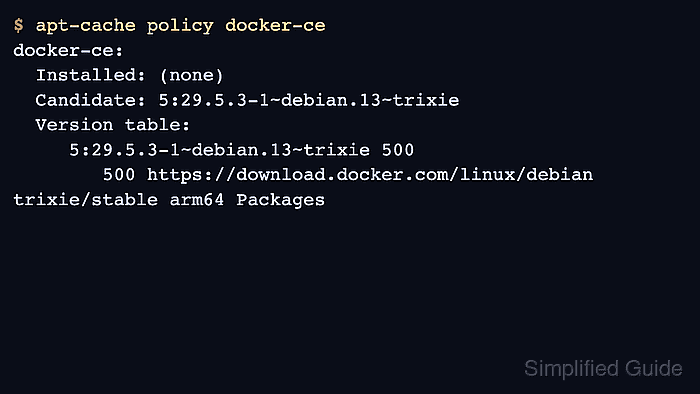
$ apt-cache policy docker-ce
docker-ce:
  Installed: (none)
  Candidate: 5:29.5.3-1~debian.13~trixie
  Version table:
     5:29.5.3-1~debian.13~trixie 500
        500 https://download.docker.com/linux/debian trixie/stable arm64 Packages
The repository is usable when the expected package has a candidate version from the new source. Install the package only after confirming the repository and package policy are correct.

Mohd Shakir Zakaria is a cloud architect with deep roots in software development and open-source advocacy. Certified in AWS, Red Hat, VMware, ITIL, and Linux, he specializes in designing and managing robust cloud and on-premises infrastructures.


