Debian hosts with Wi-Fi, graphics, or storage devices that depend on packaged firmware need the non-free-firmware APT component to see firmware updates. If the Debian source file lists only main, APT can refresh normally while firmware packages such as firmware-iwlwifi remain unavailable.
Current Debian releases store default archive entries in deb822 source files under /etc/apt/sources.list.d. Enabling non-free firmware means adding non-free-firmware to the Components line for the Debian, updates, and security stanzas while keeping the existing URIs, Suites, and Signed-By values.
Debian 12 or newer publishes firmware packages through non-free-firmware. Debian 11 and older releases used the non-free component for firmware packages, so adding non-free-firmware to those sources creates a component name that the release does not publish.
Steps to enable Debian non-free firmware:
- Inspect the current Debian source file.
$ cat /etc/apt/sources.list.d/debian.sources
Types: deb
URIs: http://deb.debian.org/debian
Suites: stable stable-updates
Components: main
Signed-By: /usr/share/keyrings/debian-archive-keyring.pgp

Types: deb
URIs: http://deb.debian.org/debian-security
Suites: stable-security
Components: main
Signed-By: /usr/share/keyrings/debian-archive-keyring.pgp
Some older installations still use /etc/apt/sources.list or one-line files under /etc/apt/sources.list.d. Edit the active Debian source entries already in use instead of adding duplicate mirrors.
- Back up the source file before changing components.
$ sudo cp /etc/apt/sources.list.d/debian.sources /etc/apt/sources.list.d/debian.sources.bak
- Edit the Debian source file.
$ sudoedit /etc/apt/sources.list.d/debian.sources
- Add non-free-firmware to each Debian Components line.
Types: deb
URIs: http://deb.debian.org/debian
Suites: stable stable-updates
Components: main non-free-firmware
Signed-By: /usr/share/keyrings/debian-archive-keyring.pgp

Types: deb
URIs: http://deb.debian.org/debian-security
Suites: stable-security
Components: main non-free-firmware
Signed-By: /usr/share/keyrings/debian-archive-keyring.pgp
Keep the existing suite names, mirror URLs, and keyring path. If the file uses trixie instead of stable, leave it as trixie and add only the component name.
- Refresh the APT package lists.
$ sudo apt update
Get:1 http://deb.debian.org/debian stable InRelease [140 kB]
Get:2 http://deb.debian.org/debian stable-updates InRelease [47.3 kB]
Get:3 http://deb.debian.org/debian-security stable-security InRelease [43.4 kB]
Get:4 http://deb.debian.org/debian stable/non-free-firmware arm64 Packages [6484 B]
##### snipped #####
Reading package lists... Done
The update output should include a non-free-firmware package index from the Debian archive. If APT reports that the component is missing, confirm that the system is on Debian 12 or newer and that the suite names match the release.
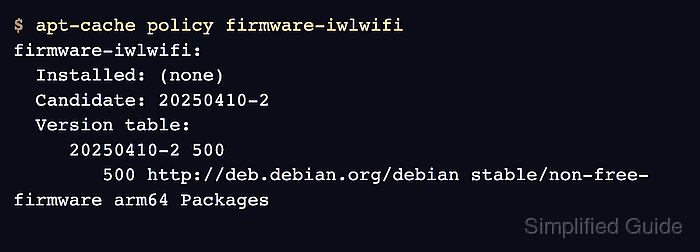
- Confirm a firmware package is visible from the new component.
$ apt-cache policy firmware-iwlwifi
firmware-iwlwifi:
  Installed: (none)
  Candidate: 20250410-2
  Version table:
     20250410-2 500
        500 http://deb.debian.org/debian stable/non-free-firmware arm64 Packages
firmware-iwlwifi is an example package for Intel wireless devices. Use the firmware package that matches the affected hardware when the missing device is not Intel Wi-Fi.
- Install the needed firmware package when the hardware requires it.
$ sudo apt install firmware-iwlwifi
Reading package lists... Done
Building dependency tree... Done
Reading state information... Done
The following NEW packages will be installed:
  firmware-iwlwifi
##### snipped #####
Skip this step when the firmware package is already installed and the goal is to keep it receiving updates from non-free-firmware.
- Reboot if the device needs firmware during driver initialization.
$ sudo reboot
Network, GPU, and storage controllers often load firmware while the kernel driver starts. A reboot reloads firmware after installation on a normal host.

Mohd Shakir Zakaria is a cloud architect with deep roots in software development and open-source advocacy. Certified in AWS, Red Hat, VMware, ITIL, and Linux, he specializes in designing and managing robust cloud and on-premises infrastructures.


