Overriding the HTTP Host value in curl lets one request test name-based virtual hosts, tenant routing, reverse proxies, and staging listeners before any shared DNS change is made. The connection can still go to a local listener, an IP address, or a temporary backend while the application receives the site name being tested.
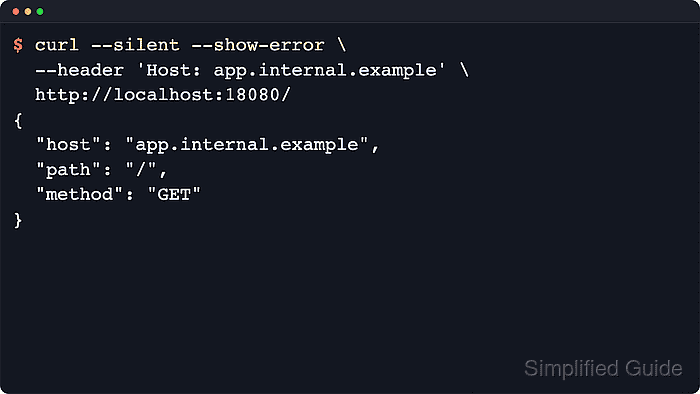
In curl, --header 'Host: ...' replaces the hostname that the HTTP layer sees. The URL still decides where curl connects unless the URL already uses an IP address or name resolution is changed with an option such as --resolve. On HTTP/1.1, the custom value is sent as the Host: header. On HTTP/2 and HTTP/3, curl uses the custom value as :authority instead of sending a literal Host: line on the wire.
A custom host name changes routing only after the request reaches the server. On HTTPS, the URL host still controls SNI and certificate checks, so most TLS virtual-host tests should keep the URL host, certificate, and any --resolve mapping aligned. Cookie scope, redirects, tenant selection, and generated absolute URLs can also follow the overridden name, so keep these checks pointed at controlled test targets.
Related: How to view HTTP request headers with cURL
Related: How to override DNS resolution with cURL
Tool: cURL Command Generator
Steps to override the Host header with cURL:
- Send a baseline request to the target listener so the default host value is visible before any override is added.
$ curl --silent --show-error http://127.0.0.1:18080/
{
  "host": "127.0.0.1:18080",
  "path": "/",
  "method": "GET"
}
Any endpoint that echoes request headers or writes the received host to its access log is enough for this check.
- Repeat the request with a custom Host header so the application receives the alternate site name instead of the URL host.
$ curl --silent --show-error --header 'Host: app.internal.example' http://127.0.0.1:18080/
{
  "host": "app.internal.example",
  "path": "/",
  "method": "GET"
}
Success is when the response or server log shows app.internal.example while the path and method stay unchanged.
- Add --http1.1 and --verbose when the exact outbound header line needs to be inspected during debugging.
$ curl --http1.1 --silent --show-error --verbose --header 'Host: app.internal.example' --output /dev/null http://127.0.0.1:18080/
*   Trying 127.0.0.1:18080...
* Established connection to 127.0.0.1 (127.0.0.1 port 18080) from 127.0.0.1 port 52802
* using HTTP/1.x
> GET / HTTP/1.1
> Host: app.internal.example
> User-Agent: curl/8.18.0
> Accept: */*
>
* Request completely sent off
##### snipped #####
On HTTP/2 and HTTP/3, curl uses :authority for the custom host name instead of sending a literal Host: line on the wire.
- Pair the header override with --resolve only when the HTTP host value and the connection hostname must be intentionally different.
$ curl --http1.1 --silent --show-error --verbose --header 'Host: app.internal.example' --resolve preview.example.test:18080:127.0.0.1 --output /dev/null http://preview.example.test:18080/
* Added preview.example.test:18080:127.0.0.1 to DNS cache
* Hostname preview.example.test was found in DNS cache
*   Trying 127.0.0.1:18080...
* Established connection to preview.example.test (127.0.0.1 port 18080) from 127.0.0.1 port 52816
* using HTTP/1.x
> GET / HTTP/1.1
> Host: app.internal.example
##### snipped #####
On HTTPS, the overridden Host value does not change SNI or certificate validation. The URL host still has to match the certificate unless the test intentionally separates TLS routing from HTTP routing.
Related: How to debug TLS handshake with cURL

Mohd Shakir Zakaria is a cloud architect with deep roots in software development and open-source advocacy. Certified in AWS, Red Hat, VMware, ITIL, and Linux, he specializes in designing and managing robust cloud and on-premises infrastructures.


