Requesting compressed HTTP responses reduces the amount of data transferred for text-heavy downloads such as JSON, HTML, CSS, and logs. Smaller transfers usually finish faster and consume less bandwidth on slow or metered links.
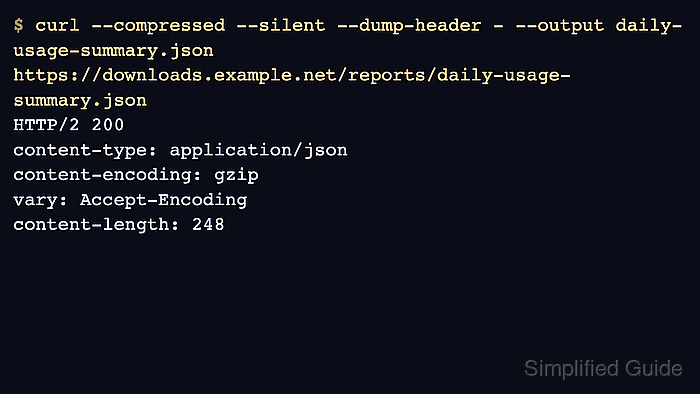
In cURL, --compressed adds an Accept-Encoding header for the response encodings the current build can decode. Recent builds often advertise deflate, gzip, br, and zstd, but the exact list depends on the linked compression libraries. After the transfer, cURL expands the response before writing it to disk, so the saved file is the normal uncompressed body.
Saved header dumps are not rewritten after decoding, so Content-Encoding: gzip can still appear in the captured headers even though the local file is already plain text. Servers can also ignore the request or choose another supported encoding. Use --raw or an explicit Accept-Encoding header instead of --compressed when another tool must receive the original compressed bytes.
Related: How to save cURL output to a file
Related: How to show HTTP response headers with cURL
Tool: Gzip Compression Checker
Steps to use compression when downloading with cURL:
- Download the response with --compressed and save the headers separately from the body.
$ curl --compressed --silent --show-error --dump-header response.headers --output daily-usage-summary.json https://downloads.example.net/usage.json
--dump-header keeps the returned metadata in a separate file, which makes it easier to confirm whether the server actually compressed the transfer.
- Open the saved headers and confirm that the server replied with a content encoding.
$ cat response.headers
HTTP/1.1 200 OK
Content-Type: application/json
Content-Encoding: gzip
Vary: Accept-Encoding
Content-Length: 86
Connection: close
The saved headers still show the original wire format, so Content-Encoding: gzip here does not mean the downloaded file is still gzip-compressed.
- Read the saved file and confirm that cURL wrote the decoded body to disk.
$ cat daily-usage-summary.json
{"report_date":"2026-06-06","service":"edge-ingest","requests_ok":18421}
A readable JSON, HTML, or text file is the normal end state after a successful --compressed download.
- Trace the request with --verbose when the compression negotiation itself needs proof.
$ curl --compressed --silent --show-error --verbose --output /dev/null https://downloads.example.net/usage.json
##### snipped #####
> GET /usage.json HTTP/1.1
> Host: downloads.example.net
> User-Agent: curl/8.18.0
> Accept: */*
> Accept-Encoding: deflate, gzip, br, zstd
>
##### snipped #####
< HTTP/1.1 200 OK
< Content-Type: application/json
< Content-Encoding: gzip
< Vary: Accept-Encoding
< Content-Length: 86
<
##### snipped #####
The exact Accept-Encoding list depends on the local cURL build. Omit --compressed when another program must receive the original compressed bytes instead of the decoded file.

Mohd Shakir Zakaria is a cloud architect with deep roots in software development and open-source advocacy. Certified in AWS, Red Hat, VMware, ITIL, and Linux, he specializes in designing and managing robust cloud and on-premises infrastructures.


