A saved Codex thread can hold plans, tool output, file context, and decisions that would be tedious to rebuild after closing the terminal. Resuming the last session reopens the newest recorded interactive thread for the current working directory, so the next prompt starts from that conversation instead of a blank terminal UI.
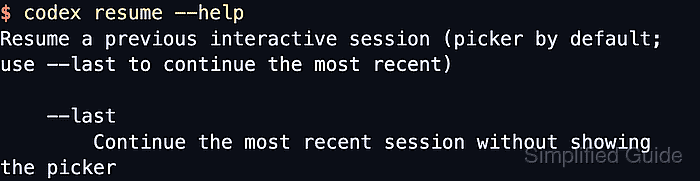
The codex resume command opens the session picker by default. Adding --last bypasses the picker and selects the newest recorded session, while --all disables the current-directory filter when the thread belongs to another working tree.
Resume uses the local Codex authentication, configuration, and transcript store for the current shell. Check the login state from the same terminal, start from the project that should own the resumed thread, and use the picker or a specific session ID when the newest thread may belong to another task.
Related: How to start a Codex interactive session
Related: How to check Codex login status
Related: How to run Codex exec with a prompt
Steps to resume the last Codex session:
- Check that the current terminal has a cached Codex login.
$ codex login status
Logged in using ChatGPT
If this prints Not logged in, complete a supported login flow before resuming the interactive session.
Related: How to check Codex login status
Related: How to log in to Codex with device authentication
Related: How to log in to Codex with an API key - Open a terminal in the project whose newest saved thread should be resumed.
$ pwd
/home/user/projects/example-app
The default codex resume picker and --last selection are scoped to the current working directory.
Related: How to set the working directory for Codex - Check the installed resume options when choosing between --last, --all, and a specific session ID.
$ codex resume --help Resume a previous interactive session (picker by default; use --last to continue the most recent) Usage: codex resume [OPTIONS] [SESSION_ID] [PROMPT] Options: --last Continue the most recent session without showing the picker --all Show all sessions (disables cwd filtering and shows CWD column) ##### snipped ##### - Resume the newest saved interactive session for the current project.
$ codex resume --last
The success signal is the restored Codex terminal UI with the prior thread visible and the input prompt ready. Plain codex resume commands expect a real terminal, not a non-interactive shell.
- Enter the next request at the restored prompt.
› Continue the repository review from the last stopping point.
This continues the resumed thread instead of starting a new Codex conversation.
- Resume the newest saved session from any working directory when the current-directory filter should not apply.
$ codex resume --all --last
--all --last can select a thread from another project. Use the picker first when the newest saved local session is uncertain.
- Open the picker when the newest saved thread is not the thread to continue.
$ codex resume
Highlight a session, review its summary, and press Enter to reopen it. Add --all to show saved sessions outside the current working directory.
- Resume a known saved thread directly.
$ codex resume 123e4567-e89b-12d3-a456-426614174000
Use the session ID shown in the picker, in /status, or in the files under $CODEX_HOME/sessions. If CODEX_HOME is unset, Codex uses /~/.codex.

Mohd Shakir Zakaria is a cloud architect with deep roots in software development and open-source advocacy. Certified in AWS, Red Hat, VMware, ITIL, and Linux, he specializes in designing and managing robust cloud and on-premises infrastructures.


