Local sandbox tools only appear in a Codex session after Codex has a named MCP launcher for the sandbox runtime. Add the Sandbox MCP server when sandbox-mcp is already installed and its sandbox catalog already exists on the machine that runs Codex.
Codex saves MCP server entries in config.toml under CODEX_HOME, with trusted projects able to add project-scoped configuration layers. A local stdio entry stores the command, arguments, and environment values that Codex passes when it starts the server.
Sandbox catalogs can live under different config roots depending on how sandbox-mcp was installed. Point XDG_CONFIG_HOME at the directory that contains the existing catalog when the runtime expects the common ~/.config/sandbox-mcp layout, and restart any already-open Codex session after saving the server.
Related: How to get Codex MCP server details
Related: How to list Codex MCP servers
Related: How to remove a Codex MCP server
Steps to add the Sandbox MCP server to Codex:
- Add the local sandbox-mcp launcher to Codex.
$ codex mcp add sandbox-mcp --env XDG_CONFIG_HOME=$HOME/.config -- $HOME/.local/bin/sandbox-mcp --stdio
Added global MCP server 'sandbox-mcp'.
Replace $HOME/.local/bin/sandbox-mcp with the installed binary path. Omit the --env XDG_CONFIG_HOME=$HOME/.config portion only when sandbox-mcp already reads the correct catalog from its platform default location.
This command saves the launcher in Codex. It does not install sandbox-mcp, create sandbox definitions, or build sandbox images.
- Check the saved launcher in the default details view.
$ codex mcp get sandbox-mcp
sandbox-mcp
  enabled: true
  transport: stdio
  command: /Users/username/.local/bin/sandbox-mcp
  args: --stdio
  cwd: -
  env: XDG_CONFIG_HOME=*****
  remove: codex mcp remove sandbox-mcp
Codex masks environment values in the default view. The command, arguments, and enabled: true state should still match the launcher that should start in a new session.
Related: How to get Codex MCP server details - Print the saved launcher as JSON when a handoff or audit needs unmasked fields.
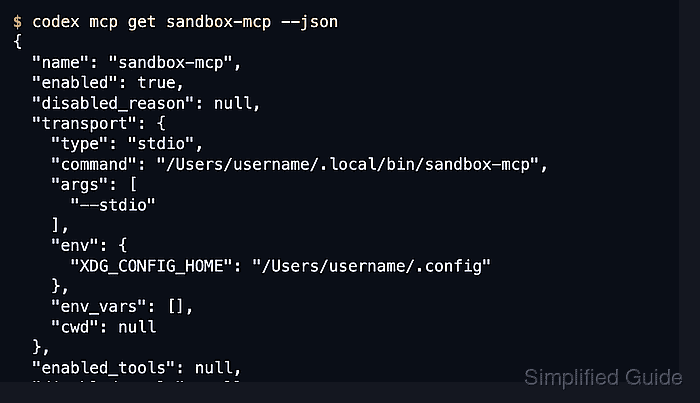
$ codex mcp get sandbox-mcp --json
{
  "name": "sandbox-mcp",
  "enabled": true,
  "disabled_reason": null,
  "transport": {
    "type": "stdio",
    "command": "/Users/username/.local/bin/sandbox-mcp",
    "args": [
      "--stdio"
    ],
    "env": {
      "XDG_CONFIG_HOME": "/Users/username/.config"
    },
    "env_vars": [],
    "cwd": null
  },
  "enabled_tools": null,
  "disabled_tools": null,
  "startup_timeout_sec": null,
  "tool_timeout_sec": null
}
Confirm transport.type is stdio, transport.command points to the sandbox-mcp binary, and transport.env.XDG_CONFIG_HOME matches the config root that contains the sandbox catalog.
- List configured MCP servers and confirm that the saved row is enabled.
$ codex mcp list
Name         Command                             Args     Env                    Cwd  Status   Auth
sandbox-mcp  /Users/username/.local/bin/sandbox-mcp  --stdio  XDG_CONFIG_HOME=*****  -    enabled  Unsupported
Unsupported under Auth is expected for a local stdio launcher because it does not use bearer-token or OAuth login.
Related: How to list Codex MCP servers - Start a new Codex session after saving the server.
$ codex
Run /mcp inside the terminal UI and check that sandbox-mcp appears in the active session. Restart any already-open CLI or IDE session so it reloads the saved MCP configuration.

Mohd Shakir Zakaria is a cloud architect with deep roots in software development and open-source advocacy. Certified in AWS, Red Hat, VMware, ITIL, and Linux, he specializes in designing and managing robust cloud and on-premises infrastructures.


