Codex command approval rules let a local session handle one command prefix differently from the wider approval policy. Use a rule when a repeated command should be allowed, prompted, or blocked in a predictable way while the rest of the session keeps its normal sandbox and approval boundary.
Rules live in .rules files under a rules/ directory next to an active Codex config layer. The user layer is ~/.codex/rules/, while a project layer uses .codex/rules/ and loads only when the project has been trusted. Each prefix_rule() matches the command argument list, not a sentence in a prompt.
Keep rule patterns narrow because the most restrictive matching decision wins across loaded files. Codex can split simple shell wrappers such as bash -lc "git status && gh pr view 7888" into separate commands before applying rules, but complex shell syntax is handled conservatively as the wrapper invocation itself.
Related: How to set Codex approval policy
Related: How to set Codex sandbox mode
Related: How to override Codex configuration for a single run
Steps to add a Codex command approval rule:
- Create the user rules directory.
$ mkdir -p ~/.codex/rules
- Open the default user rules file.
$ vi ~/.codex/rules/default.rules
Use .codex/rules/default.rules inside a trusted project only when the rule should travel with that repository instead of the user account.
- Add a prefix_rule() for the command prefix.
- ~/.codex/rules/default.rules
# Prompt before running GitHub PR reads outside the sandbox.
prefix_rule(
    pattern = ["gh", "pr", "view"],
    decision = "prompt",
    justification = "Viewing pull requests requires approval because it can contact GitHub.",
    match = [
        "gh pr view 7888",
        "gh pr view --repo openai/codex",
    ],
    not_match = [
        "gh pr --repo openai/codex view 7888",
        "gh pr list",
    ],
)
Use decision = “allow” only for commands that may leave the sandbox without another prompt, decision = “prompt” when each match still needs review, and decision = “forbidden” when the command should be blocked without prompting.
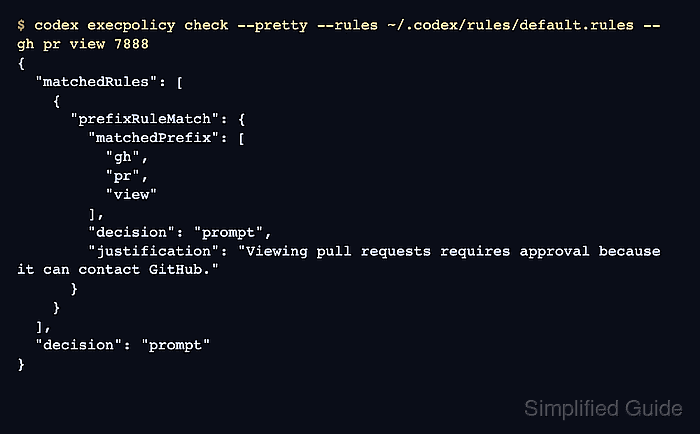
- Test a command that should match the rule.
$ codex execpolicy check --pretty --rules ~/.codex/rules/default.rules -- gh pr view 7888
{
  "matchedRules": [
    {
      "prefixRuleMatch": {
        "matchedPrefix": [
          "gh",
          "pr",
          "view"
        ],
        "decision": "prompt",
        "justification": "Viewing pull requests requires approval because it can contact GitHub."
      }
    }
  ],
  "decision": "prompt"
}
execpolicy check evaluates the rule file directly, so it can test rule behavior without opening a live Codex session.
- Test a nearby command that should not match.
$ codex execpolicy check --pretty --rules ~/.codex/rules/default.rules -- gh pr list
{
  "matchedRules": []
}
No decision field means this rule file did not match the command. Normal approval policy and any other loaded rules still apply during a real session.
- Restart Codex so normal sessions load the new rule.
$ codex
Already-running sessions keep the rules they loaded at startup.
- Ask Codex to run the matching command when outside-sandbox access is needed.
> Run gh pr view 7888 --json title,body
The approval prompt should show the matching command prefix and the rule justification before the command runs outside the sandbox.

Mohd Shakir Zakaria is a cloud architect with deep roots in software development and open-source advocacy. Certified in AWS, Red Hat, VMware, ITIL, and Linux, he specializes in designing and managing robust cloud and on-premises infrastructures.


