Microsoft's public documentation covers details that model memory can miss, from Azure CLI syntax to .NET APIs. The Microsoft Learn MCP Server lets Codex search those references and return a source URL alongside an answer about a Microsoft product.
Microsoft hosts the server as a public streamable HTTP endpoint with documentation search, full-page retrieval, and code sample search tools. No Microsoft account, bearer token, or Azure subscription is needed for the documentation connection; it does not provide access to private Azure resources.
An installed, signed-in Codex CLI and network access to Microsoft Learn are required for a lookup. A browser request to the MCP endpoint can return 405 Method Not Allowed because the address expects an MCP client, so the meaningful connection check is a documentation request through Codex.
Steps to add the Microsoft Learn MCP server to Codex:
- Add the official Microsoft Learn endpoint under the name microsoft-learn.
Search queries are sent to Microsoft's public documentation service. Private source code, credentials, and customer data do not belong in a documentation query.
$ codex mcp add microsoft-learn --url https://learn.microsoft.com/api/mcp
Added global MCP server 'microsoft-learn'.
The entry is saved in the user-level Codex configuration, normally in the following file. A custom CODEX_HOME changes that location.
~/.codex/config.toml
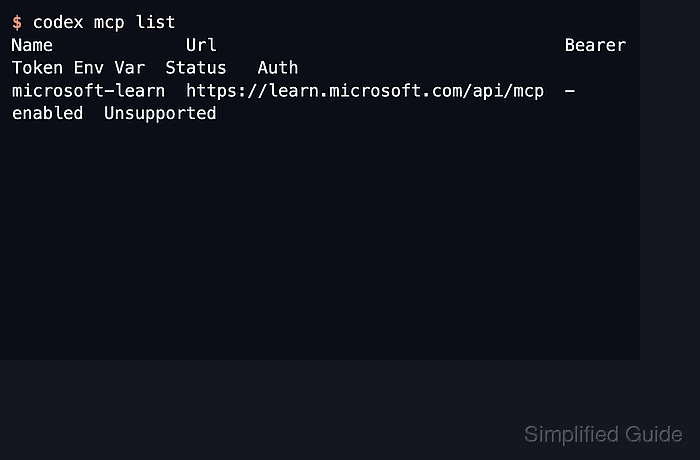
- Inspect the saved Microsoft Learn endpoint.
$ codex mcp get microsoft-learn
microsoft-learn
  enabled: true
  transport: streamable_http
  url: https://learn.microsoft.com/api/mcp
  bearer_token_env_var: -
  http_headers: -
  env_http_headers: -
  http_headers_helper: -
  remove: codex mcp remove microsoft-learn
The entry should be enabled with the official URL and no authentication headers. A missing name produces an error; a saved entry alone does not establish that its tools can connect.
- Start a fresh Codex session in your project directory.
$ codex --sandbox read-only
A fresh session loads the saved MCP configuration. The read-only sandbox limits filesystem changes; it does not prevent documentation queries through the remote server.
- Ask Codex how to create an Azure resource group using the Microsoft Learn server.
Use the microsoft-learn MCP server to explain how to create an Azure resource group with Azure CLI. Include a command example and the Microsoft Learn reference. Do not run Azure commands.
The reply should explain az group create and link to Microsoft Learn. A completed microsoft_docs_search call shows that the answer used the connection rather than only model memory. This request retrieves documentation without creating an Azure resource group. Returned documentation is reference material, and suggested commands still need review before use.
- Follow the Microsoft Learn reference returned in the answer.
The resource-group documentation explains az group create and provides a creation example. A saved endpoint without a successful tool call, an answer without a reference, or a link that does not support the answer leaves the connection unconfirmed.