Letting Codex work in Auto mode gives a local session permission to edit the current workspace and run routine commands without stopping at every step. It fits contained repository work where Codex should change files, run local tests, and pause only when the task needs access outside the sandbox.
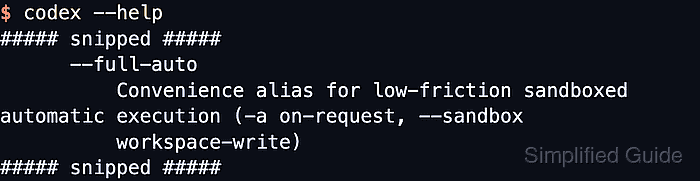
Current Codex documentation describes Auto as workspace-write sandboxing with on-request approvals. In the CLI, use --sandbox with workspace-write and --ask-for-approval with on-request; the old interactive --full-auto shortcut is not accepted by current CLI help.
Keep the working root narrow before starting the session. workspace-write can modify ordinary files under that root while protected paths such as .git and .codex remain read-only, and any command that needs network access or a write outside the workspace can still stop for approval.
Related: How to set Codex sandbox mode
Related: How to set Codex approval policy
Related: How to set the working directory for Codex
Steps to run Codex with the Auto preset:
- Review the Auto preset flags exposed by the installed CLI.
$ codex --help
##### snipped #####
  -s, --sandbox <SANDBOX_MODE>
          Select the sandbox policy to use when executing model-generated shell commands

          [possible values: read-only, workspace-write, danger-full-access]
##### snipped #####
  -a, --ask-for-approval <APPROVAL_POLICY>
          Configure when the model requires human approval before executing a command
##### snipped #####
          - on-request: The model decides when to ask the user for approval
##### snipped #####
Use this documented flag pair for new interactive commands. Current local help rejects codex --full-auto at the top level, and the manual keeps codex exec --full-auto only as deprecated compatibility for non-interactive runs.
- Change to the repository root that should act as the writable workspace.
$ cd ~/projects/example-app
Keep the root as narrow as practical, because workspace-write allows ordinary file edits under the current working directory.
- Start Codex with workspace-write sandboxing and on-request approvals.
$ codex --sandbox workspace-write --ask-for-approval on-request
If the directory has not been trusted yet, confirm the trust prompt before the session opens.
- Enter a contained first task after the session opens.
> Update the failing test and run the matching test file.
Pass the prompt on launch only when the task is already known, such as codex --sandbox workspace-write --ask-for-approval on-request "Update the failing test and run the matching test file.".
- Check the active session settings.
/status
The status panel should show workspace-write sandboxing, on-request approvals, and the writable roots for the current session.
- Open the permissions picker when the task needs a different access level mid-session.
/permissions
Select Full Access only inside an isolated environment or after reviewing the command risk, because it removes the normal sandbox boundary.
- Review changes before keeping the results.
/diff
Auto mode can make multiple edits before a prompt appears, so inspect the changed files and diff before committing.
- Exit the session when the task is complete.
/exit
Related: How to resume the last Codex session

Mohd Shakir Zakaria is a cloud architect with deep roots in software development and open-source advocacy. Certified in AWS, Red Hat, VMware, ITIL, and Linux, he specializes in designing and managing robust cloud and on-premises infrastructures.


