Claude subscriptions share their usage allowance across the Claude apps and Claude Code. The usage limits in Claude Code show how much of each applicable allowance is used and when it resets.
Pro and Max plans have a five-hour session allowance as well as a weekly allowance. An account without a five-hour limit, such as a verified Ultra account, can show only weekly windows. A separate weekly limit for a particular model can also appear.
The dollar amount under Session measures token cost rather than a subscriber's remaining allowance. Plan limits cover usage across devices, whereas the usage breakdown on the same screen is calculated from sessions on the current machine.
Steps to check usage limits in Claude Code:
- Check the subscription sign-in with /status at the Claude Code prompt.
> /status
##### snipped #####
Login method:      Claude Ultra account
##### snipped #####
The Login method line identifies the subscription account; Claude Ultra account is shown here. API-key access uses separate billing rather than the subscription allowance. Sign-in prerequisites are covered in Claude Code authentication.
- Press Esc to close the Status tab.
- Enter /usage at the Claude Code prompt.
> /usage
A Showing last-known usage notice means the bars are cached rather than freshly fetched. If the screen reports stale data or a rate-limited usage endpoint, r retries the request. Missing bars after a failed request do not mean the allowance is unused.
- Read each limit's used percentage alongside its reset time on the Usage tab.
##### snipped #####
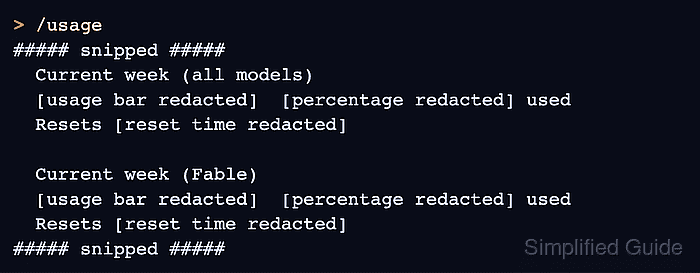
Current week (all models)
[usage bar redacted]  [percentage redacted] used
Resets [reset time redacted]

Current week (Fable)
[usage bar redacted]  [percentage redacted] used
Resets [reset time redacted]
##### snipped #####
Account figures and reset times are redacted here. Each populated plan-limit row shows the percentage already used and its own Resets time. Current session is the five-hour allowance when it applies; Current week (all models) is the overall weekly allowance. A separate model row applies to that model. An Ultra account without a five-hour limit has no session-limit row.
A You've hit your session limit or You've hit your weekly limit message names the exhausted allowance and its reset time. A later weekly reset can still prevent work after the session allowance resets. Switching models does not bypass a session or all-model weekly limit; a model-specific limit has a different scope. Claude Code's limit reference explains the messages and available options.