A Claude Code request includes more than the words at the prompt. Conversation history, file contents, instructions, and tool definitions share the model's context window; when they exceed it, Prompt is too long stops the task until enough content is removed.
Compaction replaces earlier conversation with a summary, while clearing starts a fresh conversation. A single oversized paste can leave nothing earlier to summarize, so compaction cannot always recover the session. Automatic compaction is normally enabled, but a large request can still need less input.
Clearing loses the active conversation's details, including decisions that exist only in the chat. Project files stay on disk, but the next request needs enough context to continue the task. A reset also keeps startup instructions and tools, so large memory files or tool definitions need attention separately.
Steps to fix "Prompt is too long" in Claude Code:
- Identify the context-limit message in the failed request.
Context limit reached · /compact or /clear to continue
Interactive sessions use this wording; print-mode output and saved transcripts can say Prompt is too long. A usage allowance or authentication error requires a different fix. There is no need to submit another oversized request.
- Inspect the context breakdown with /context in the affected session.
> /context
The warning Context exceeds the token limit identifies an overfilled model window. Messages includes conversation content; MCP tools and memory-file entries identify content that a conversation reset may retain. When tools or memory dominate, Anthropic's error reference covers disabling unused servers with /mcp disable <name> and shortening large CLAUDE.md files. Those changes affect available tools or instructions, so the server and file must match the entries in your breakdown.
- Try /compact when conversation messages fill the window.
> /compact
Not enough messages to compact.
This result occurs when there are no earlier exchanges to summarize. A completed compaction can free enough space for a retry without clearing; an oversized single exchange needs a fresh conversation with less content. A compaction error naming another failure, such as authentication, needs that failure resolved first.
- Copy any task details needed after a reset into a note outside the conversation.
/clear discards the active conversation context. Requirements, decisions, and results that exist only in chat will no longer be available to the next request.
- Reset the conversation with /clear if compaction cannot free enough space.
> /clear
- Check /context for available space before retrying.
> /context
The new breakdown should have free space and no Context exceeds warning. Nonzero usage is expected because system instructions and tools still load. If the new conversation is already full, its startup content needs reducing before another task request.
- Resend the original task with only the relevant pasted text or file excerpts.
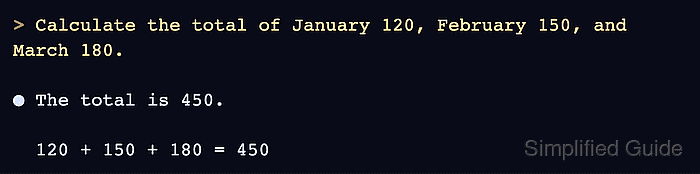
> Calculate the total of January 120, February 150, and March 180.
This request retains the calculation from the failed paste while omitting unrelated text. For a coding task, the equivalent input is the necessary file section, error, and task requirements rather than the entire log or repository.
- Confirm that Claude answers the task without another context-limit error.
The total is 450.

120 + 150 + 180 = 450
A response that completes the original task establishes recovery. Another context-limit message means the remaining input still does not fit; an unrelated error means the task has reached a different failure.