Ceph cluster metadata is separate from the objects, block images, and file data stored by OSDs. A protected bundle of monitor maps, CRUSH placement rules, CephX keys, and cephadm service specifications gives a storage administrator the configuration record needed before maintenance, upgrades, or disaster-recovery rehearsal.
On cephadm-managed clusters, hosts with the _admin label carry /etc/ceph/ceph.conf and /etc/ceph/ceph.client.admin.keyring, while the monitors hold the central configuration database, authentication database, maps, and config-key values. Export the live monitor-backed records from an admin shell instead of copying only local files, because local files alone do not include service placement, manager module settings, or the current cluster maps.
The bundle contains secret material. Keep it outside Ceph data pools, restrict file permissions, copy it to encrypted or off-host storage, and test the saved files in a disposable recovery lab before relying on them for a real rebuild.
Related: How to check Ceph cluster health
Related: How to upgrade a Ceph cluster with cephadm
Steps to back up Ceph cluster configuration:
- Open a root shell on a Ceph administration host.
$ sudo -i
Use a host where the Ceph CLI can already authenticate as client.admin. On cephadm clusters, that is usually the bootstrap host or another host with the _admin label.
- Check the cluster state before exporting configuration.
# ceph status
  cluster:
    id:     4f6d3b10-2e6a-11f0-9d52-001122334455
    health: HEALTH_OK

  services:
    mon: 3 daemons, quorum ceph-node1,ceph-node2,ceph-node3 (age 2h)
    mgr: ceph-node1.xcjvpf(active, since 2h), standbys: ceph-node2.fkadmp
    osd: 6 osds: 6 up (since 2h), 6 in (since 2h)

  data:
    pools:   3 pools, 97 pgs
    objects: 1.2k objects, 4.8 GiB
    usage:   15 GiB used, 345 GiB / 360 GiB avail
    pgs:     97 active+clean
A warning or error state does not prevent a configuration backup, but saving the status makes later recovery notes easier to interpret.
Related: How to check Ceph cluster health - Set the destination directory on protected backup storage.
# BACKUP_DIR=/secure/ceph-config-backups/cluster-config-2026-06-29
Replace the path and date with a location that is not stored only inside the Ceph cluster being backed up.
- Create the backup directory with root-only permissions.
# install -d -m 0700 "$BACKUP_DIR"
- Copy the local admin configuration files.
# cp -a /etc/ceph/ceph.conf /etc/ceph/ceph.client.admin.keyring "$BACKUP_DIR"/
/etc/ceph/ceph.client.admin.keyring grants privileged cluster access. Store the backup where only trusted storage administrators and the recovery process can read it.
- Export the full CephX authentication database.
# ceph auth export -o "$BACKUP_DIR/auth-export.keyring"
auth-export.keyring can contain keys for daemons, clients, and automation users. Do not paste its contents into tickets, chat, screenshots, or shared documentation.
- Export the central configuration database.
# ceph config dump --format json-pretty > "$BACKUP_DIR/config-db.json"
- Export the config-key database.
# ceph config-key dump --format json-pretty > "$BACKUP_DIR/config-key.json"
config-key entries can include dashboard, module, or integration secrets depending on the cluster. Treat the exported JSON with the same protection as keyrings.
- Export the monitor map.
# ceph mon getmap -o "$BACKUP_DIR/monmap.bin"
got monmap epoch 12
- Export the OSD map.
# ceph osd getmap -o "$BACKUP_DIR/osdmap.bin"
got osdmap epoch 482
- Export the CRUSH map.
# ceph osd getcrushmap -o "$BACKUP_DIR/crushmap.bin"
got crush map from osdmap epoch 482
- Export the cephadm service specifications.
# ceph orch ls --export > "$BACKUP_DIR/orch-services.yaml"
ceph orch ls --export writes the running service specifications as YAML so they can be reviewed or reapplied in a recovery lab.
- Export the orchestrator host inventory.
# ceph orch host ls --format json-pretty > "$BACKUP_DIR/orch-hosts.json"
- Save the cluster status text.
# ceph status > "$BACKUP_DIR/cluster-status.txt"
- Save the full cluster report.
# ceph report > "$BACKUP_DIR/cluster-report.json"
The report is useful for recovery planning because it records daemon versions, maps, pool state, and placement data near the time of the backup.
- Restrict the exported files to root.
# chmod 0600 "$BACKUP_DIR"/*
- Change to the backup directory.
# cd "$BACKUP_DIR"
- Create a checksum manifest for the exported files.
# sha256sum ceph.conf ceph.client.admin.keyring auth-export.keyring \
  config-db.json config-key.json monmap.bin osdmap.bin crushmap.bin \
  orch-services.yaml orch-hosts.json cluster-status.txt cluster-report.json \
  > manifest.sha256
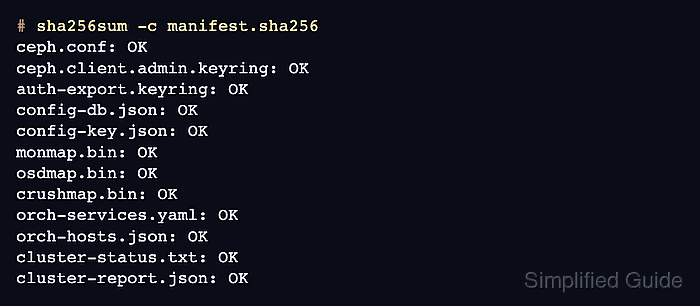
- Verify the manifest from the protected directory.
# sha256sum -c manifest.sha256
ceph.conf: OK
ceph.client.admin.keyring: OK
auth-export.keyring: OK
config-db.json: OK
config-key.json: OK
monmap.bin: OK
osdmap.bin: OK
crushmap.bin: OK
orch-services.yaml: OK
orch-hosts.json: OK
cluster-status.txt: OK
cluster-report.json: OK
- List the completed backup bundle.
# ls -lh
total 104K
-rw------- 1 root root  14K Jun 29 09:10 auth-export.keyring
-rw------- 1 root root  358 Jun 29 09:10 ceph.client.admin.keyring
-rw------- 1 root root  182 Jun 29 09:10 ceph.conf
-rw------- 1 root root  19K Jun 29 09:11 cluster-report.json
-rw------- 1 root root  612 Jun 29 09:11 cluster-status.txt
-rw------- 1 root root 6.1K Jun 29 09:10 config-db.json
-rw------- 1 root root 3.8K Jun 29 09:10 config-key.json
-rw------- 1 root root  21K Jun 29 09:10 crushmap.bin
-rw------- 1 root root 1.1K Jun 29 09:12 manifest.sha256
-rw------- 1 root root  748 Jun 29 09:10 monmap.bin
-rw------- 1 root root  11K Jun 29 09:10 orch-hosts.json
-rw------- 1 root root 9.4K Jun 29 09:10 orch-services.yaml
-rw------- 1 root root  13K Jun 29 09:10 osdmap.bin

Mohd Shakir Zakaria is a cloud architect with deep roots in software development and open-source advocacy. Certified in AWS, Red Hat, VMware, ITIL, and Linux, he specializes in designing and managing robust cloud and on-premises infrastructures.


