A Bash prompt that shows the current Git branch reduces the chance of committing, rebasing, or deploying from the wrong checkout. The branch segment belongs in the prompt itself, so the active repository state is visible before each command.
Bash builds the prompt from PS1 each time it displays a new command line. A small helper function can ask Git for the current branch, print a formatted segment when the shell is inside a repository, and stay silent when the current directory is outside a repository or the checkout has no branch name.
The example below stores the helper in ~/.bashrc for interactive shells, loads it in a new Bash session, and verifies the prompt inside a temporary Git repository. The shell needs git on PATH, and command substitution inside PS1 depends on the default promptvars shell option.
Related: How to customize the Bash prompt
Related: How to configure Bash login scripts
Related: How to use command substitution in Bash
Tool: Prompt String 1 (PS1) Generator
Steps to show a Git branch in the Bash prompt:
- Back up the Bash startup file.
$ cp ~/.bashrc ~/.bashrc.bak
A broken prompt line in ~/.bashrc can make new interactive shells difficult to use until the line is fixed or removed.
- Open ~/.bashrc in a text editor.
$ nano ~/.bashrc
- Add the Git branch helper and prompt assignment near the end of the file.
- ~/.bashrc
__vcs_branch() {
    local branch
    branch=$(git branch --show-current 2>/dev/null) || return
    [ -n "$branch" ] && printf ' (%s)' "$branch"
}

PS1='\u@\h:\w$(__vcs_branch)\$ '
Single quotes keep $(__vcs_branch) literal while the assignment is read. Bash expands it later each time the prompt is drawn. Place the assignment after any earlier PS1 line so the branch-aware prompt is the value Bash keeps.
- Check the startup file for syntax errors.
$ bash -n ~/.bashrc
No output means Bash did not find a parse error.
- Load the updated startup file in the current shell.
$ source ~/.bashrc
If the prompt shows $(__vcs_branch) literally, enable prompt variable expansion with shopt -s promptvars before testing again.
- Create a temporary Git repository for the prompt check.
$ git init -b main ~/prompt-check
Initialized empty Git repository in /home/user/prompt-check/.git/
- Enter the temporary repository.
$ cd ~/prompt-check
- Start a new interactive Bash session with the updated startup file.
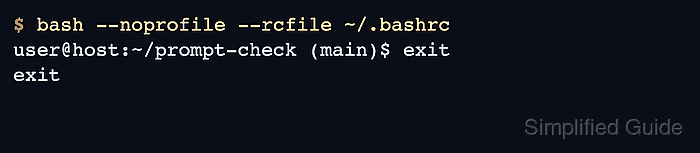
$ bash --noprofile --rcfile ~/.bashrc
user@host:~/prompt-check (main)$ exit
exit
The (main) segment confirms the prompt helper is reading the active Git branch.
- Return to the home directory.
$ cd ~
- Remove the temporary repository.
$ rm -rf ~/prompt-check

Mohd Shakir Zakaria is a cloud architect with deep roots in software development and open-source advocacy. Certified in AWS, Red Hat, VMware, ITIL, and Linux, he specializes in designing and managing robust cloud and on-premises infrastructures.


