AWS CLI command history helps review what a local shell ran after a failed deployment, handoff, or repeated credential test. When it is enabled, the CLI records command arguments, timestamps, and return codes so recent activity can be inspected without relying on shell history alone.
The setting is cli_history in the shared AWS CLI config file. aws configure set cli_history enabled writes that value to the default profile unless --profile is passed, and the aws history command group reads the local history records for the current user.
History is local to the workstation, container, or automation user that ran the commands. Use a current AWS CLI v2 install, and avoid passing secrets directly as command arguments because history can retain resource names, profile names, and other values typed on the command line.
Steps to enable AWS CLI command history:
- Enable AWS CLI command history in the default config profile.
$ aws configure set cli_history enabled
aws configure set writes non-credential settings to the shared config file. Add --profile work when the setting should apply to a named profile instead of [default].
- Confirm that the same profile now reports history as enabled.
$ aws configure get cli_history
enabled
No output means the current profile does not have cli_history set. Repeat the check with the same --profile value used in the previous step if you enabled history for a named profile.
- List the recorded AWS CLI command history.
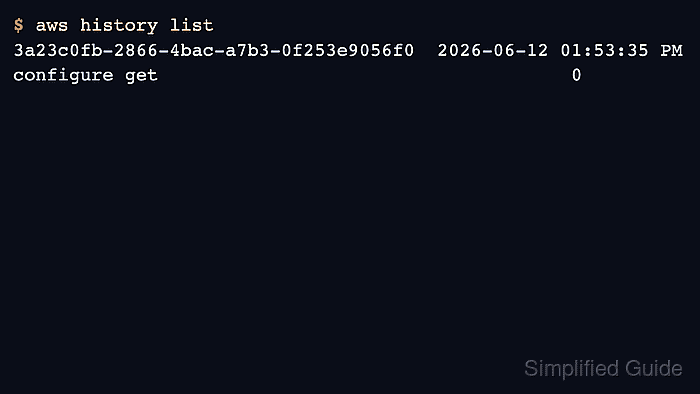
$ aws history list
3a23c0fb-2866-4bac-a7b3-0f253e9056f0  2026-06-12 01:53:35 PM  configure get                                     0
Only commands run after history is enabled appear here. The final column is the command return code, so 0 means the recorded command exited successfully.
- Show the details for one recorded command ID.
$ aws history show 3a23c0fb-2866-4bac-a7b3-0f253e9056f0 --format detailed

AWS CLI command entered
at time: 2026-06-12 13:53:35.875
with AWS CLI version: aws-cli/2.35.3
with arguments: ['configure', 'get', 'cli_history']

AWS CLI command exited
at time: 2026-06-12 13:53:35.879
with return code: 0
Run aws history show --format detailed without a command ID to inspect the most recent recorded command.

Mohd Shakir Zakaria is a cloud architect with deep roots in software development and open-source advocacy. Certified in AWS, Red Hat, VMware, ITIL, and Linux, he specializes in designing and managing robust cloud and on-premises infrastructures.


